Uh-oh...unable to connect
When you open the dialer and see the message “Uh-oh…unable to connect,” it means the dialer can’t reach the Revenue.io servers it needs to load.
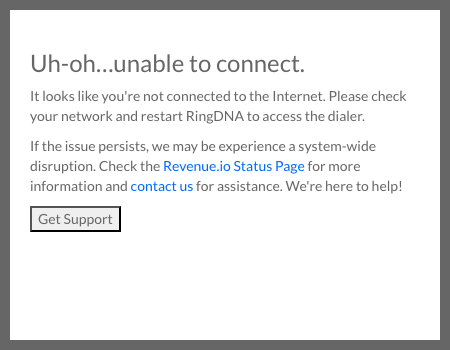
Symptoms
- The dialer displays the message: “It looks like you’re not connected to the Internet. Please check your network and restart RingDNA to access the dialer.”
- The dialer does not load and you can’t place or receive calls.
Causes
The dialer can’t establish a connection to the Revenue.io servers. This is usually caused by one of the following:
- Your network is offline. Your device has lost its connection to the internet, so it can’t reach our servers.
- Your network or firewall is blocking required services. A firewall, VPN, or network policy is preventing the dialer from reaching the domains and IP addresses it depends on.
Troubleshooting Steps
- Check your internet connection. Confirm that other sites and applications can reach the internet. Try loading a webpage in your browser.
- Restart your network hardware. Reboot your router or modem, then reconnect and reopen the dialer.
- Restart the dialer once your connection is restored.
- Verify network and firewall access. If your connection is working but the dialer still can’t connect, your network or firewall may be blocking required services. Confirm that the domains and IP addresses the dialer needs are allowed. See Network Configuration Requirements.
Contact Support
If the issue persists after checking your connection and network access, there may be a system-wide disruption. Check the Status page for current service information, then Contact our Support Team for assistance.