Route by Salesforce Data
Use the Callout and Branch steps together to route calls based on any Salesforce field value — account tier, territory, contract status, or anything else accessible via Apex.
This pattern requires a Salesforce Apex REST class. Work with your Salesforce administrator to create and deploy the class before configuring the call flow.
How it works
- A caller dials your Smart Number and enters the call flow.
- The Callout step sends the caller’s phone number (and any other variables you choose) to a Salesforce Apex class.
- The Apex class queries Salesforce — for example, looking up the caller’s Account and reading its Territory field — and returns a value.
- The Branch step reads the returned value and routes the call to the appropriate queue or agent.
Example: territory-based routing
Goal: Route inbound support calls to the East or West regional team based on the Salesforce Account Territory field associated with the caller’s phone number.
Step 1 — Create the Apex class
The class should accept the caller’s phone number, look up the matching Account or Contact, read the Territory field, and return it as a string:
@RestResource(urlMapping='/TerritoryRouter/*')
global class TerritoryRouter {
  @HttpPost
  global static Map<String, String> getTerritory(String callerPhone) {
    Map<String, String> response = new Map<String, String>();
    /* Query Contact or Lead by phone, get Account.Territory */
    String territory = /* your query result */;
    response.put('territory', territory);
    return response;
  }
}
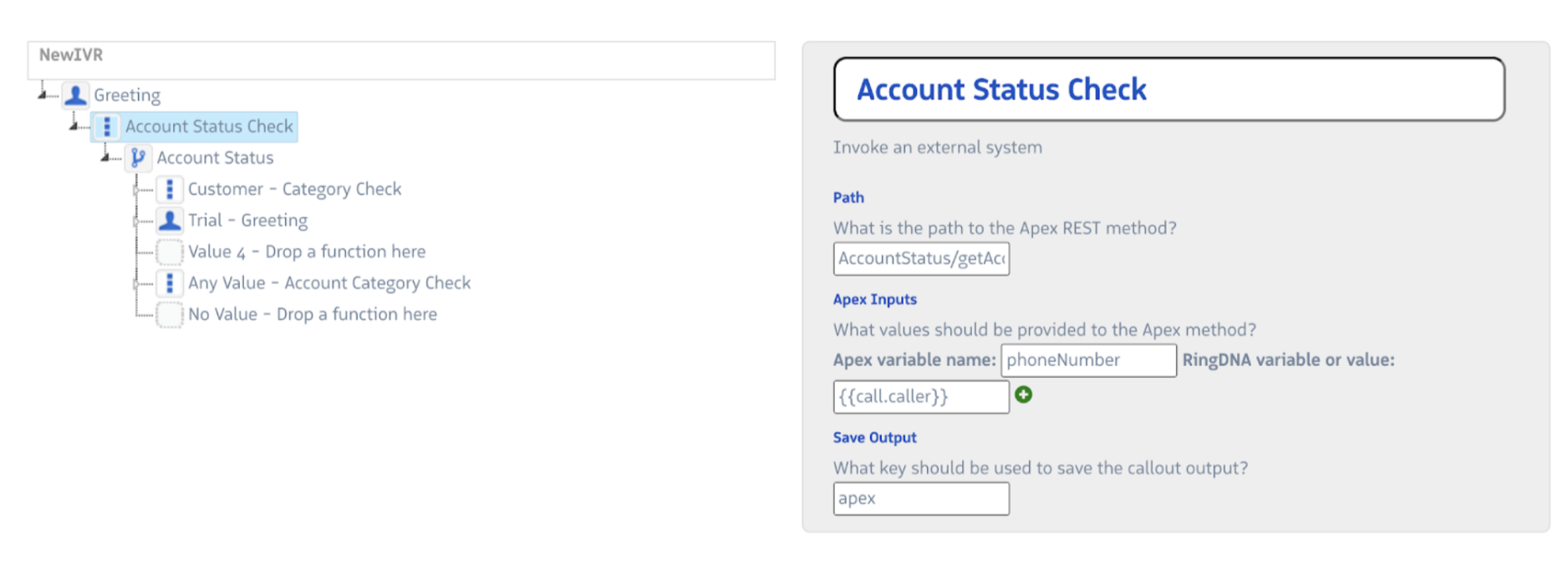
Step 2 — Add a Callout step
- Path:
TerritoryRouter - Apex Input:
callerPhone = {{call.caller}} - Saved Output:
routingResult
The territory value is now accessible as {{routingResult.territory}}.
Step 3 — Add a Branch step
- Evaluation variable:
{{routingResult.territory}} - Add one branch per territory value (e.g.,
East,West) - Add an Any Value branch for accounts with no territory assigned
- Connect each branch to the appropriate Dial step
Other common use cases
| Use case | What the Apex class looks up | Branch evaluates |
|---|---|---|
| Account tier routing | Account tier or plan field | Premium, Standard, Trial |
| Customer vs. prospect | Lead vs. Contact match | customer, prospect, unknown |
| Automatic Case creation | Creates a Case; returns Case number | No Branch needed — use returned value in SMS step |
| Account number validation | Matches caller input (from Prompt step) to Account records | valid, invalid |
Tips
- Test with a static return value first. Before connecting real Salesforce logic, have your Apex class return a hardcoded value (e.g.,
response.put('territory', 'East')) to verify the Callout → Branch → Dial path works end to end. - Handle null returns. If the Apex class cannot find a matching record, it should return a predictable value (e.g.,
unknown) so the Branch step routes the call rather than stalling it. - Callout latency adds to queue wait time. Keep Apex queries efficient — a slow callout is dead time from the caller’s perspective.