Time
The Time step routes calls based on whether the current time falls within a defined schedule. Calls during the defined hours go to the Open path; all other calls go to the Closed path.
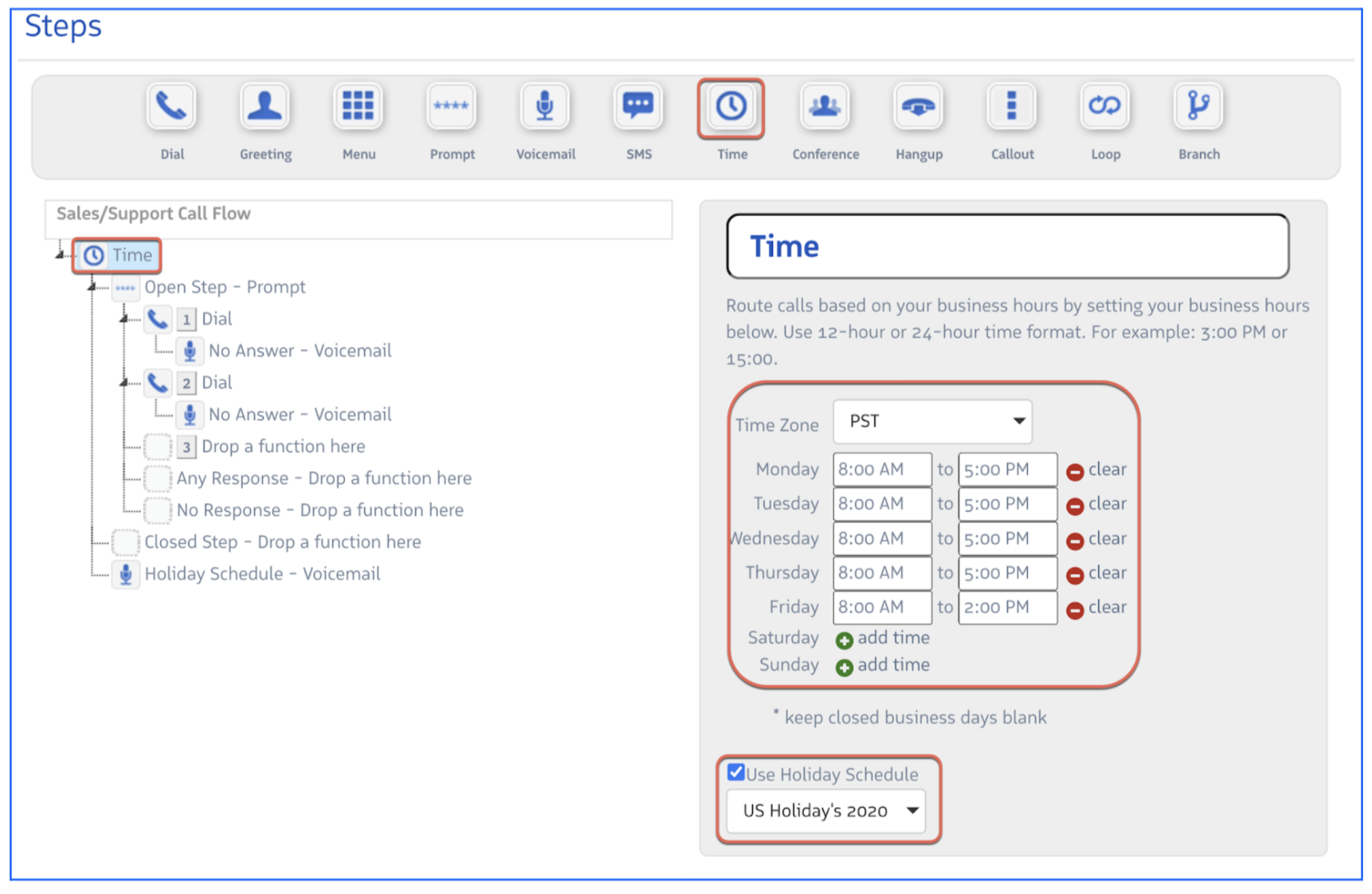
Configuration options:
- Time Zone — Select the timezone the schedule should evaluate against
- Business hours — Set open and close times independently for each day of the week
- Use Holiday Schedule — When checked, calls during configured holidays are routed to the Closed path and a default voicemail plays. Holiday schedules are configured at Account > Overview > Holiday Schedule.
Shift-based routing: Multiple Time steps can be nested in sequence to create shift schedules. Place a second Time step inside the Open path of the first, and configure it with the hours for Shift 1. Use the No Answer path for Shift 2, and so on.