Dial
The Dial step routes the call to a destination. It is the most commonly used step and should be placed wherever the call should attempt to connect to a person.

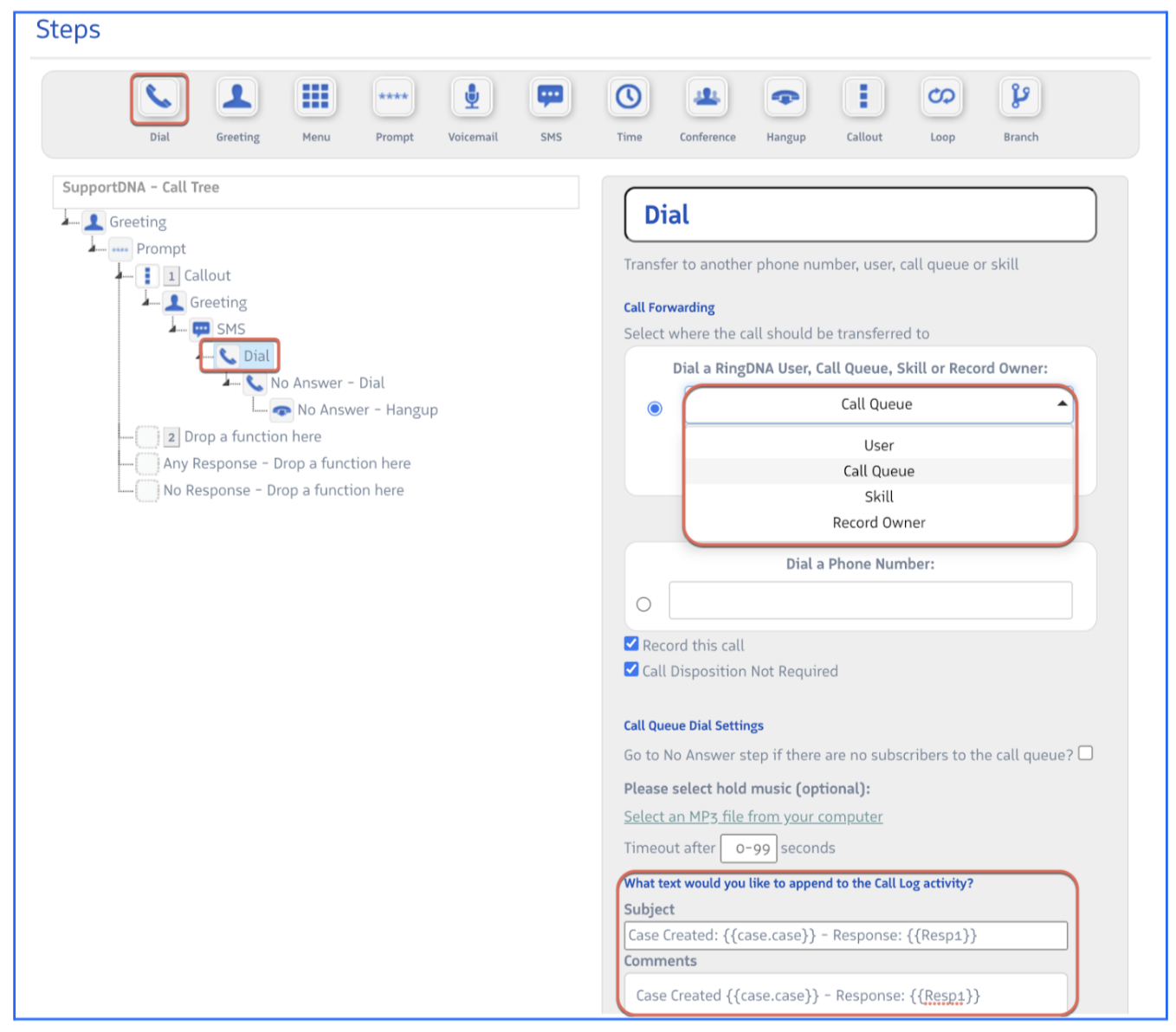
Route to:
| Option | Description |
|---|---|
| Users | Any Revenue.io user |
| Call Queue | A queue of agents who can accept the call |
| Skill | A group of users associated with a skill |
| RecordOwner | The Salesforce Lead or Contact owner of the matching record |
| PhoneNumber | A manually entered number — useful for routing to third-party destinations |
Additional options:
- Record this call — Override account-level recording settings for calls that reach this step
- Call Disposition Not Required — Waive the disposition requirement for these calls
- Task Subject / Comments — Customize the text written to Salesforce activity fields when the call connects through this step