Logging in using Single Sign-On (SSO)
Logging in using Single Sign-On (SSO)
The Revenue.io platform utilizes Salesforce OAuth to authenticate your login. If your Salesforce Organization utilizes an SSO service, you may need to specify your Salesforce Org’s domain in order to be redirected to your SSO service.
To be redirected to your SSO flow configured in Salesforce, you need to specify your Salesforce domain URL by clicking Use Custom Domain.
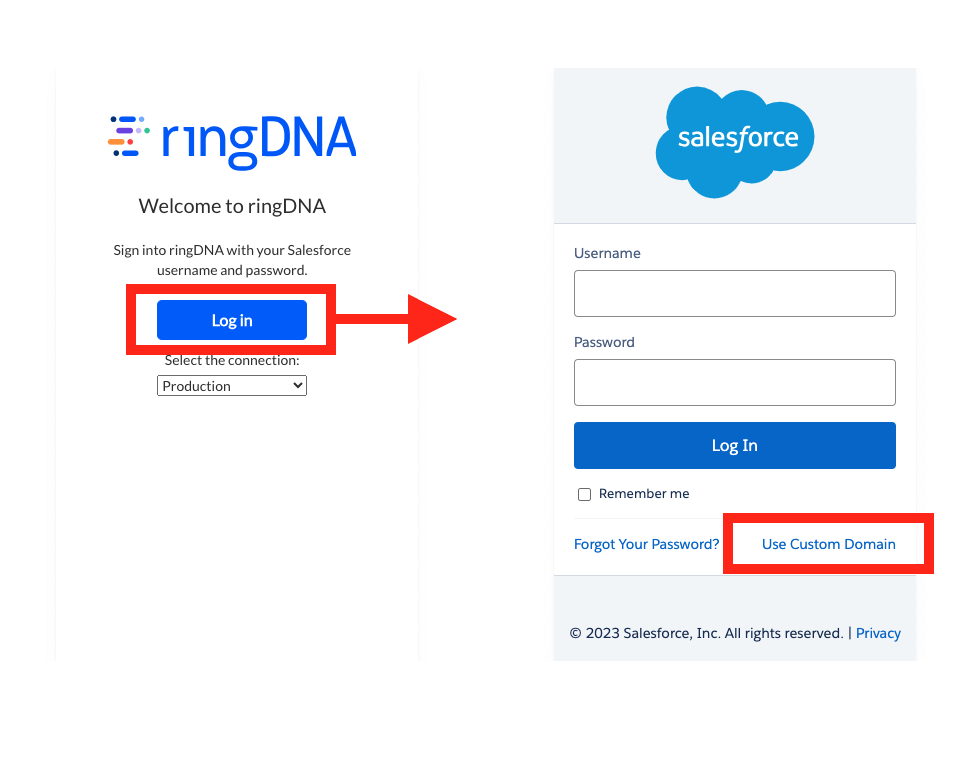
To find your Custom Domain, refer to the URL of any Salesforce page currently open. It should look like this: yourcompany.my.salesforce.com
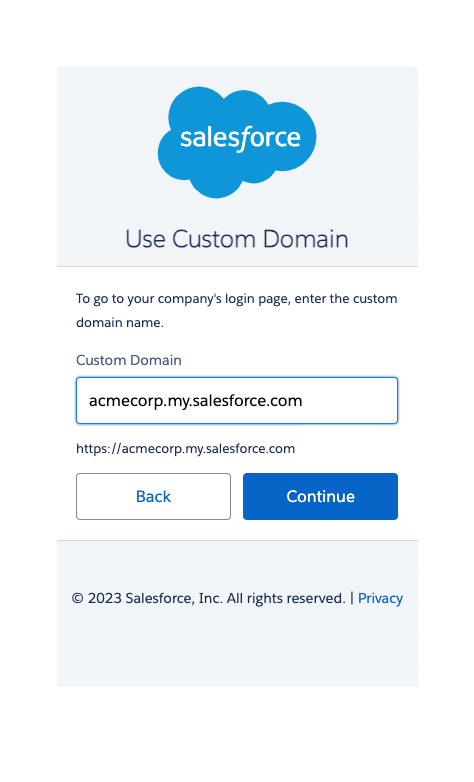
Insert your Salesforce domain in the text box and click Continue to be redirected to your Salesforce Organization’s SSO login flow.
Having trouble signing in? See Sign-in Issues for troubleshooting steps.