Analytics & Dashboards
Access reporting and dashboards to measure performance across Revenue.io products.
In-App Analytics live in the Revenue app under Insights. Use these reports to analyze Conversation AI, Moments™, RingDNA, and Revenue Intelligence activity.
Access Insights
- Log in to the Revenue app.
- Click Insights in the left menu.
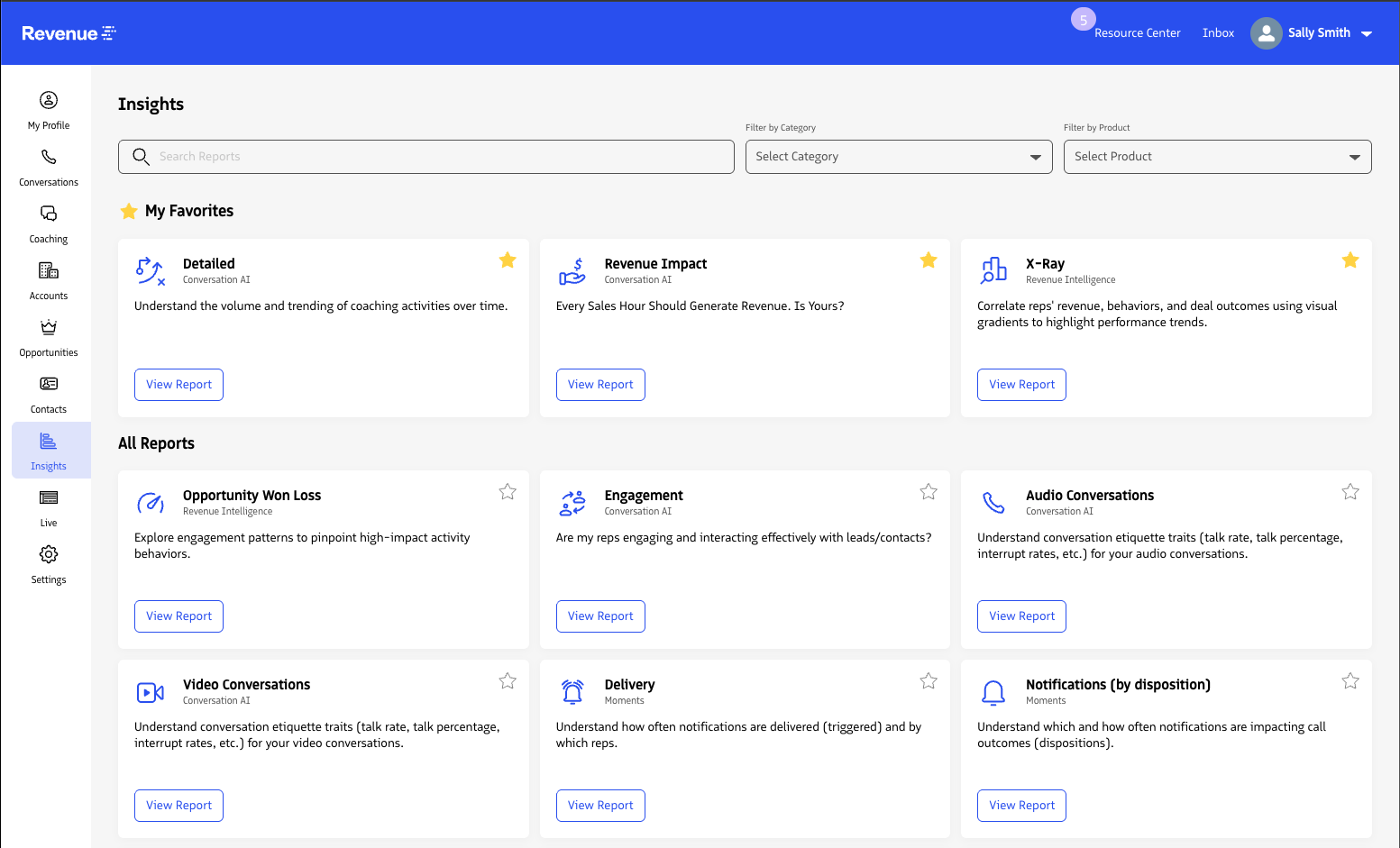
All available reports appear on the Insights landing page. Each card includes a short description and is grouped by product. Use the Search, Filter by category, and Filter by product fields to find a report.
Favorite a report
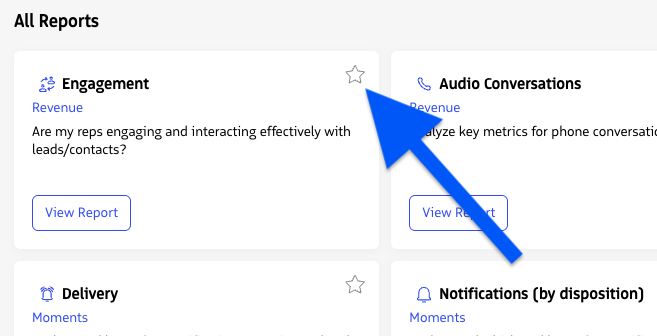
Click the star icon on a report card to add it to your favorites. Favorites help you reopen reports you use most without searching.
In-App Analytics
Admin call, messaging, queue, and supervisor dashboards
Etiquette, topics, coaching, activity, and revenue impact insights
Notification performance, coaching impact, and compliance reports
In-app analytics and Salesforce reports for Guided Selling
Opportunity won and loss engagement analysis
Salesforce Reports and Dashboards
Use Salesforce reports and dashboards for RingDNA for Salesforce package metrics and Advanced Solutions data.