Revenue.io Product Updates: July 2026
Revenue app
Mobile web access
We’ve rolled out more pages within the Revenue app that can be viewed on mobile web - allowing you to do more while on the go. You can now accesss the following on a mobile device:
- Libraries
- Saved Searches
- Moments (creation and templates)
- Scorecards list
- Opportunities
- Accounts
- Conversation Agents
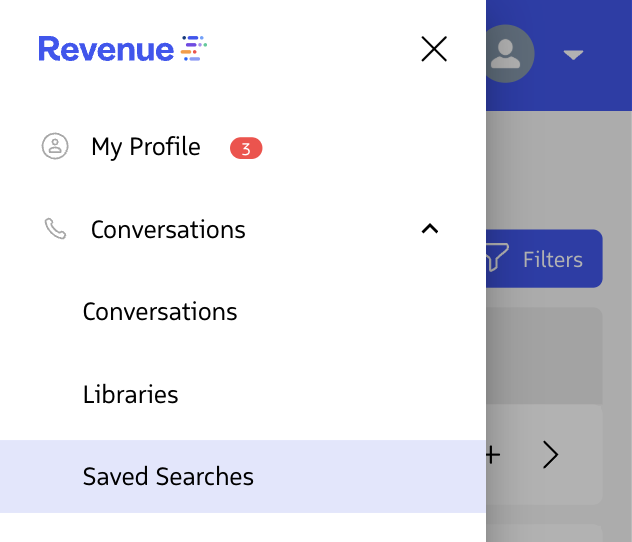
Revenue app nav menu on mobile web
Insights reports - Manage columns
When Insights reports have too many columns, the data can be cut off and unreadable. To make the table readable and ensure you’re able to view the data that’s most important to you, we add the ability to manage the columns shown. You’ll always have a default set of columns that show, and you can edit it through the Manage Columns menu.
Learn more about available Reports and Dashboards
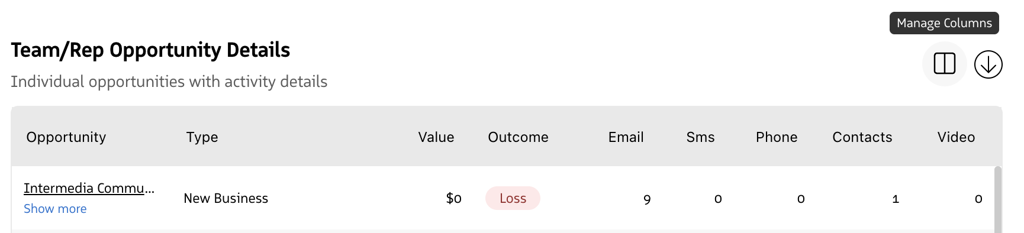
Example table with Manage Columns option
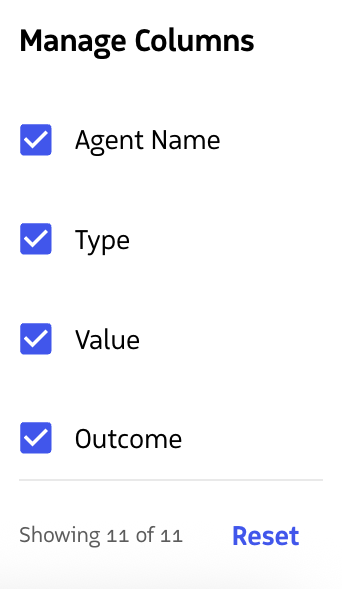
Example Manage Columns menu
Revenue AI
Out-of-the-box Conversation Agents - Improved Account & Contact Field Mapping
Conversation Agent field mappings that target Account or Contact fields now resolve across a wider range of call contexts. Previously, mappings could fail if a Conversation Agent field mapping was set up to write to an Account or Contact field when an Account or Contact wasn’t set as the related record. With this update, the system traverses those relationships automatically to find the right record. For example - if the Conversation Agent is set up to map to an Account field, and the related record is an Opportunity, we can still write to the correct Account field by referencing Opportunity.AccountId.
Learn more about Conversation Agents
Conversation AI
Added Language Support
We’ve added more languages for support in Conversation AI and Moments™.
- Bulgarian
- Czech
- Hungarian
- Romanian