Revenue.io Product Updates: August 2026
Revenue app
Meeting Assistant - Recording Announcement replay settings
Admins can now configure how often the recording announcement replays in Meeting Assistant settings.
Learn more about Meeting Assistant Recording Announcements
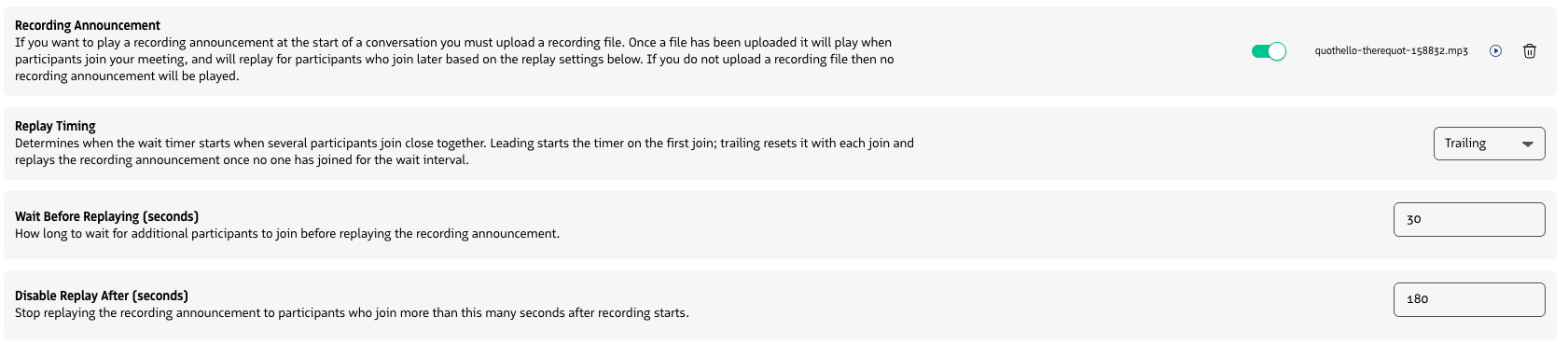
Meeting Assistant recording announcement settings in Admin
Additional Moments™, Scorecards, and Conversation Agents targeting
To extend the configurability of Moments™, Scorecards and Conversation Agents, and further allow you to minimally scope them, we’ve add the ability to target:
- Moments on Conversation Type
- Scorecards on Conversation Type and Conversation Outcome
- Conversation Agents on Conversation Type and Conversation Outcome.
Learn more about creating Moments™ notifications, creating Scorecards, and enabling Conversation Agents.
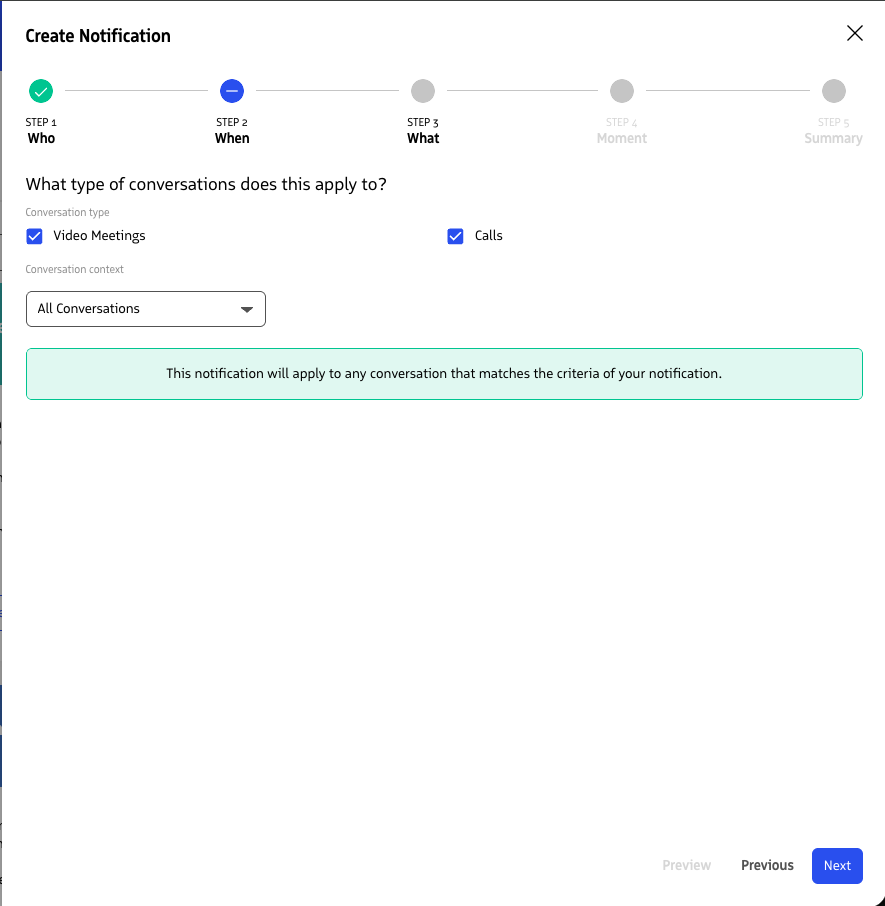
Moments™ targeting
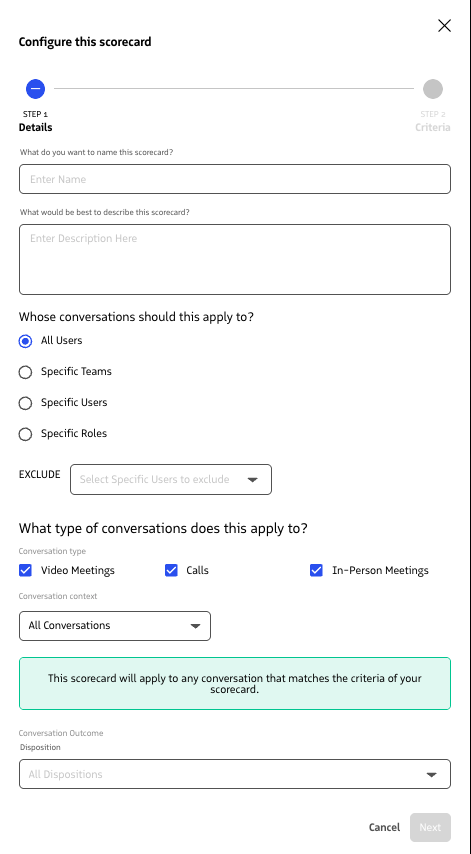
Scorecard targeting
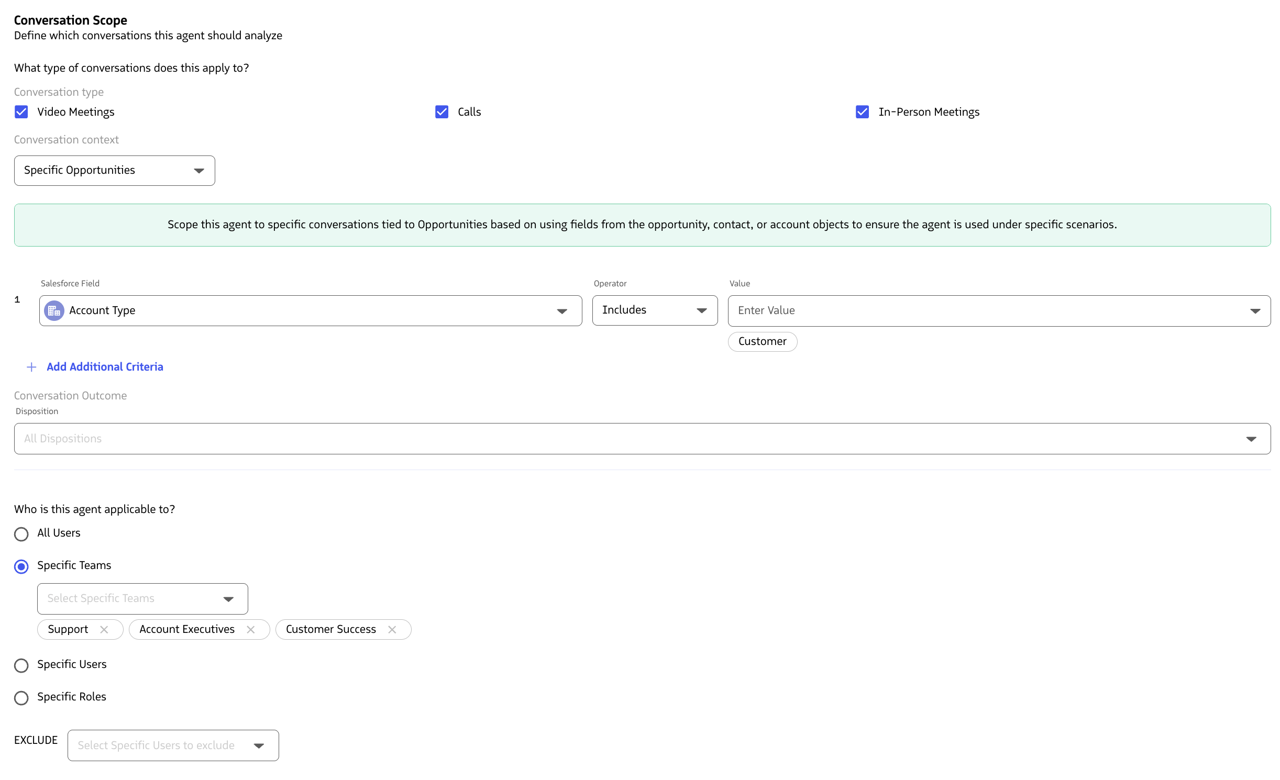
Conversation Agents targeting
RingDNA
Hot Leads - Configurable and Intelligent Prioritization Engine
We’re introduces new Hot Leads admin settings, introducing a configurable and intelligent prioritization engine. Reps now have a real-time list of high-priority leads, intelligently sorted and visually differentiated based on the configured business logic.
Learn more about configuring Hot Leads
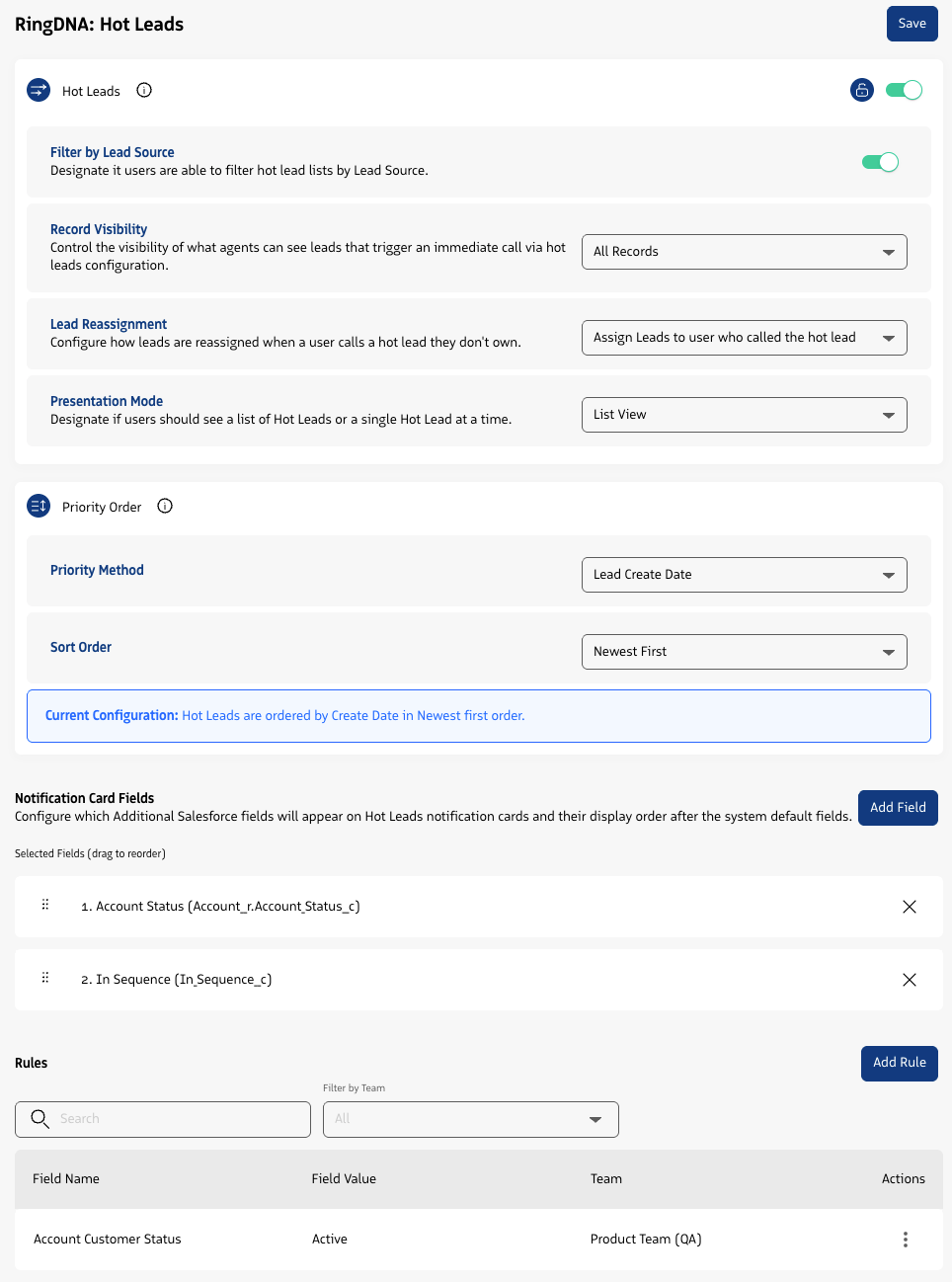
Hot Leads settings
SMS Template Merge Fields
Merge fields can be added to SMS Templates in Admin, allowing reps to send SMS messages that are dynamically personalized.
Learn more about creating and managing SMS templates
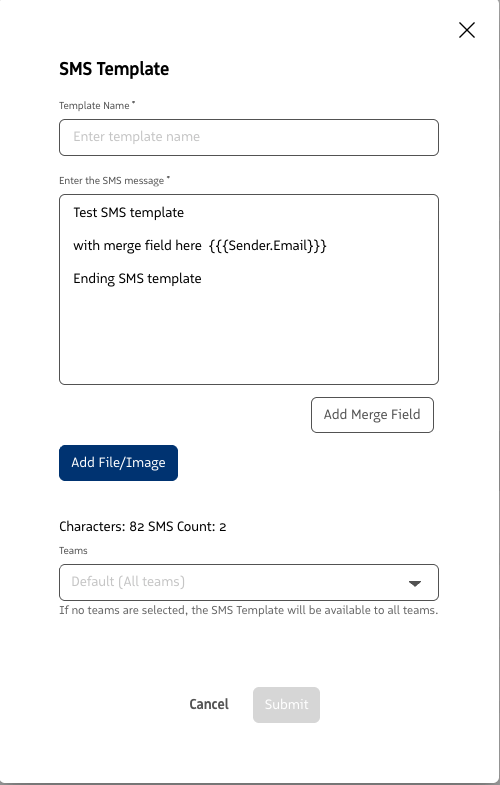
SMS Template example with merge fields
“Set users as busy by default” Setting
We added a new RingDNA setting, “Set users as busy by default”, that when enabled, sets users to the system Busy status when logging into the product or transitioning from offline/active status.
Learn more about RingDNA Dialer user statuses
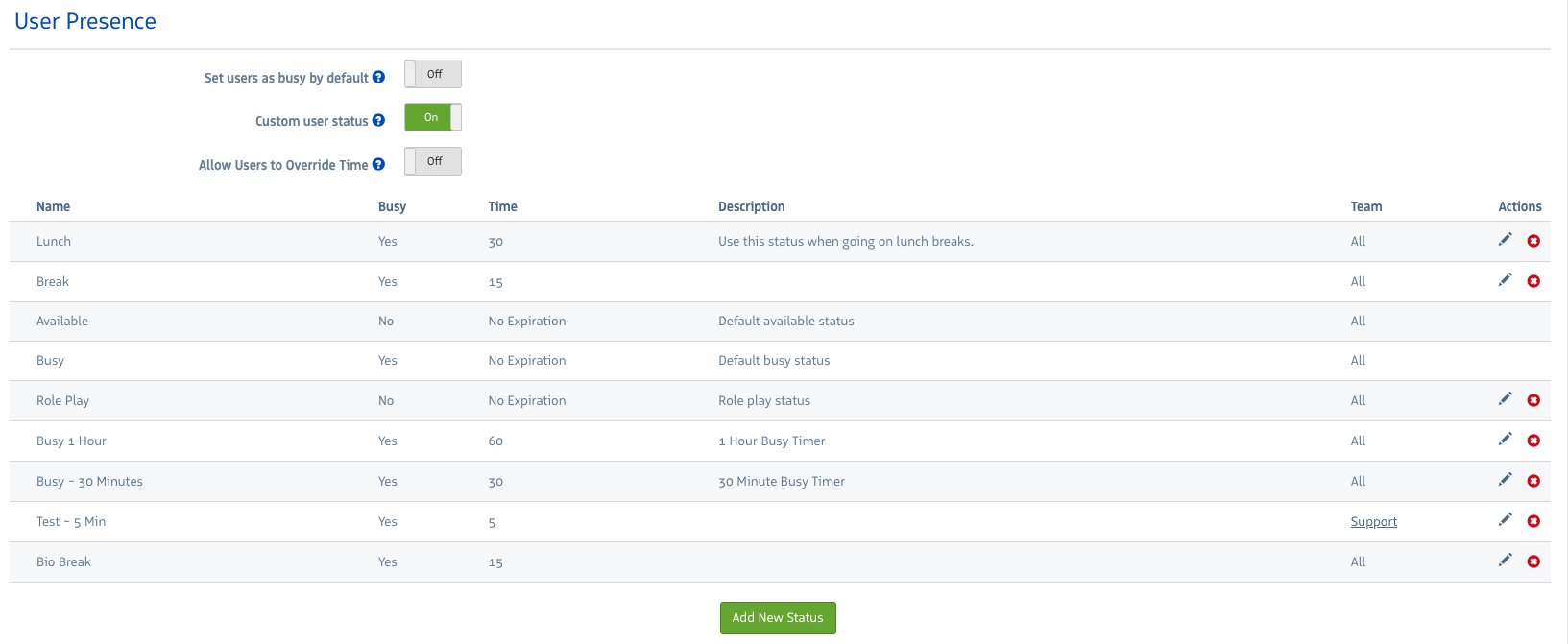
RingDNA User Presence settings
Call Queues - “Automatically set users to busy after missed call” Setting
We added a new RingDNA setting for Call Queues called “Automatically set users to busy after missed call”. Ehen enabled and the user was delivered an inbound call that they missed from a call queue that has a longest waiting agent, longest waiting agent with call parking, or sequential dial distribution strategy, the user is then automatically updated to the system Busy status to avoid missing any additional calls.
Learn more about RingDNA Dialer Call Queues
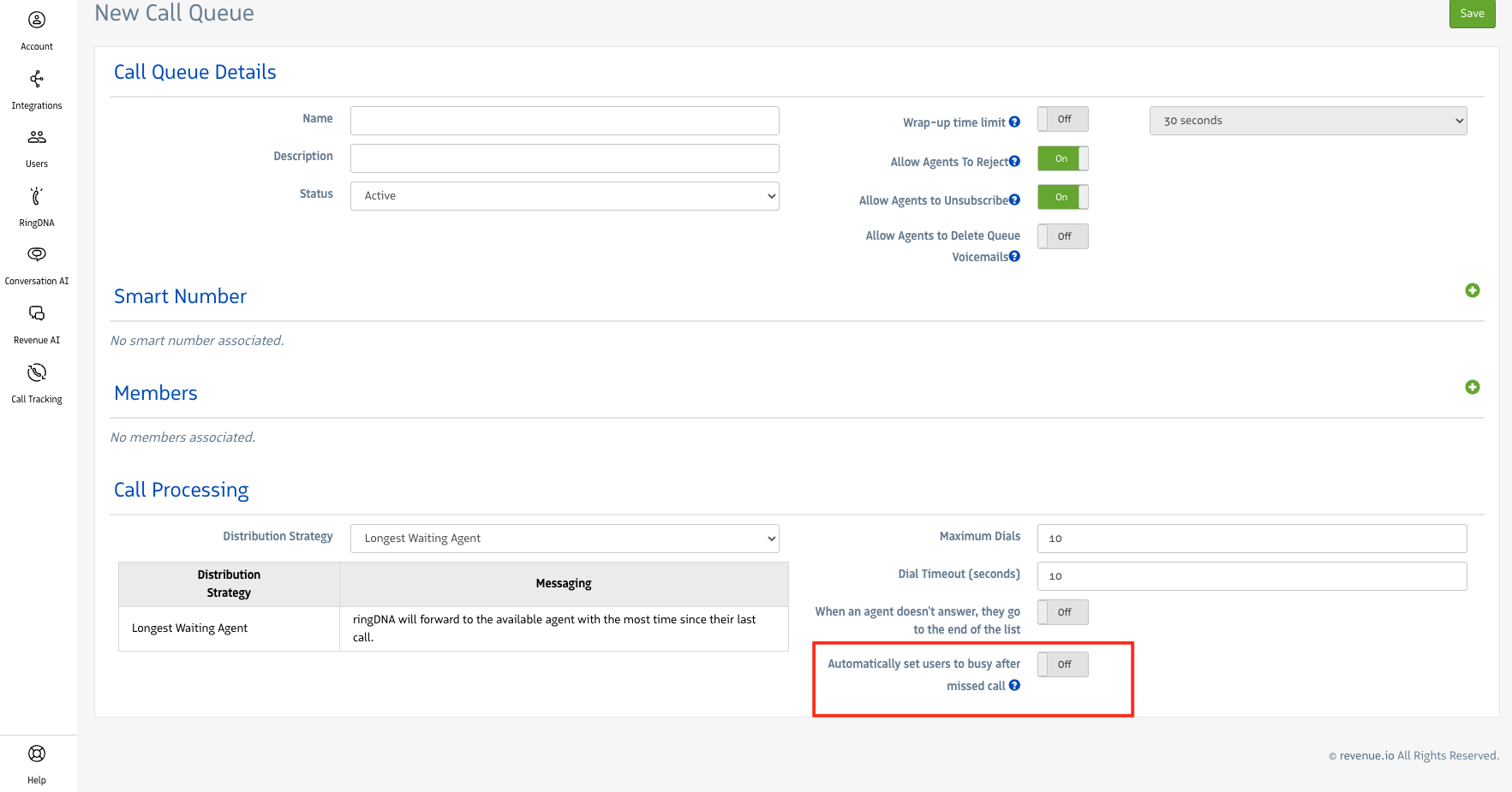
Call Queues - Set user to busy after missed call setting
RingDNA - Call Quality alerts
We’ve added Call and Network alerts in the Dialer that will alert you if an issue is detected with guidance on how to resolve it.
Learn more about RingDNA Dialer Call Quality alerts
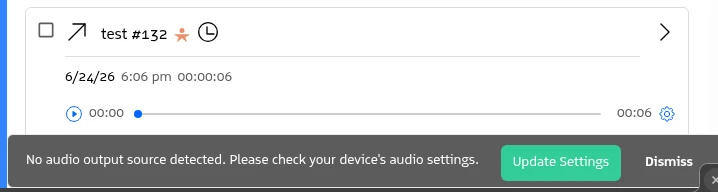
Example call quality alert
User-level Phone Match Settings
We’ve added user-level Phone Match settings for additional flexibility and configuration. When phone match settings are enabled at the user-level, they override the account-level phone match settings.
Learn more about RingDNA Dialer Phone Match settings
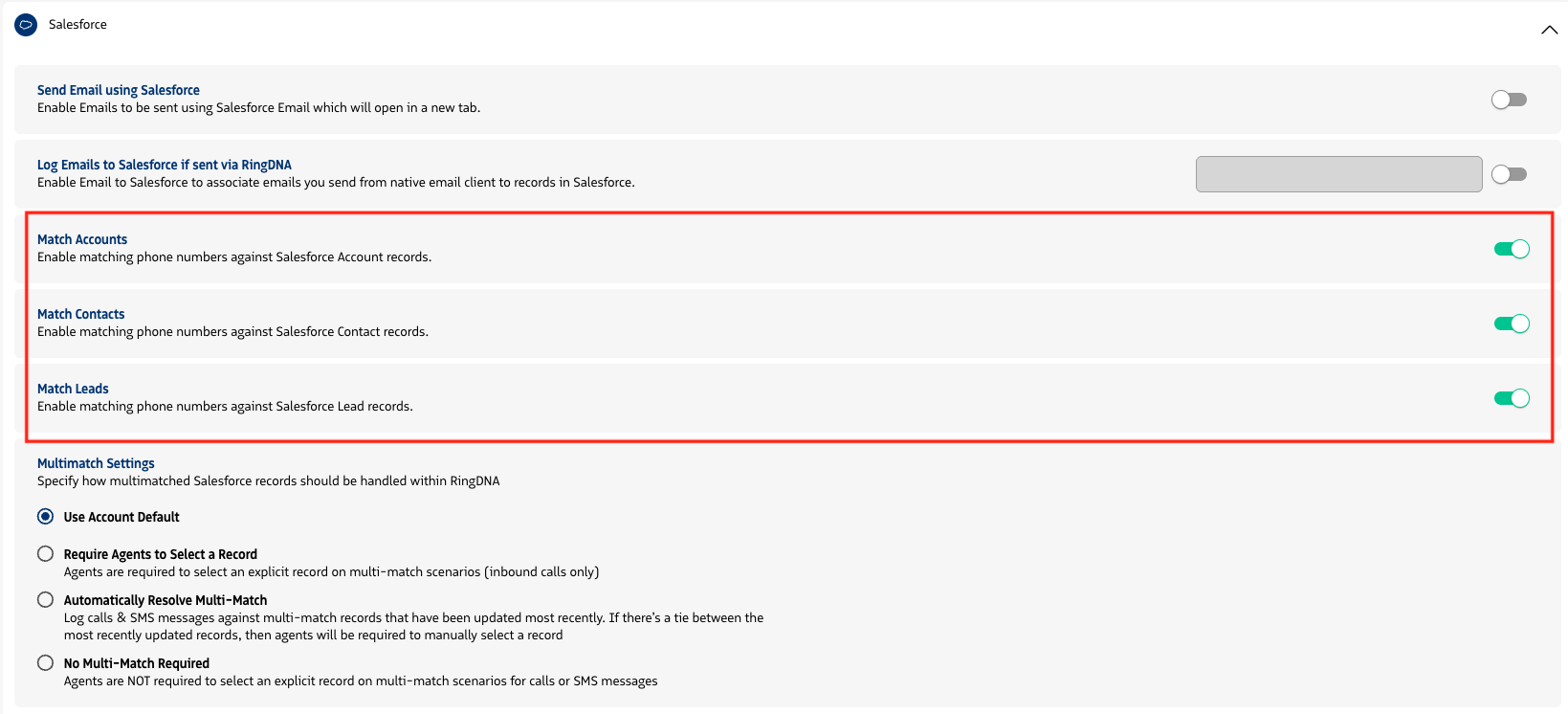
Phone Match user settings
User-level Multi-Match Settings
We’ve added user-level multi-match settings for additional flexibility and configuration when automatically matching records. When multi-match settings are enabled at the user-level, they override the account-level multi-match settings.
Learn more about RingDNA Dialer Phone Match settings
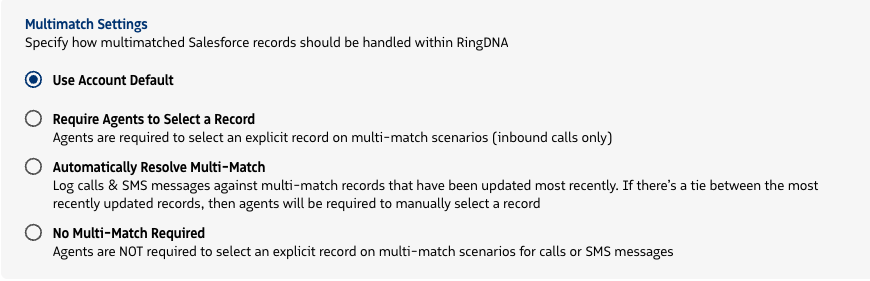
Multi Match user settings