SMS Templates
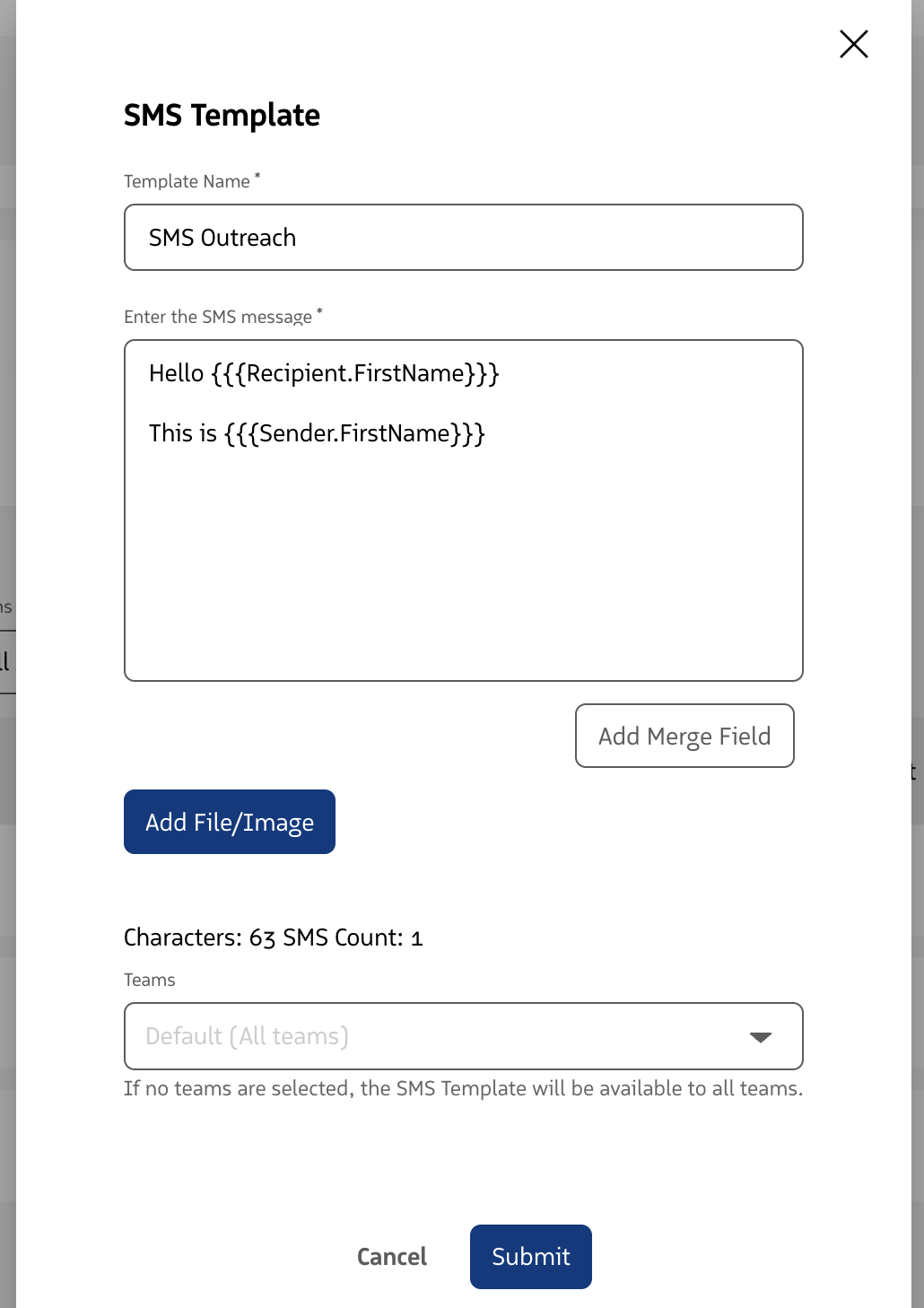
SMS Templates are reusable text templates that provide consistent, personalized messaging for Manual and Automatic SMS actions in Guided Selling.
SMS Templates can include merge fields that use Salesforce data from the participant and sender to personalize each message.
How SMS Templates Work with Guided Selling
When you set up an SMS action in a sequence, the Sequence Builder lets you assign an SMS Template to the action.
SMS Templates can be used with both:
- Manual SMS: A rep opens the message from Engage, reviews or edits the populated message, and sends it from the RingDNA dialer.
- Automatic SMS: Guided Selling sends the message automatically when the action becomes due.
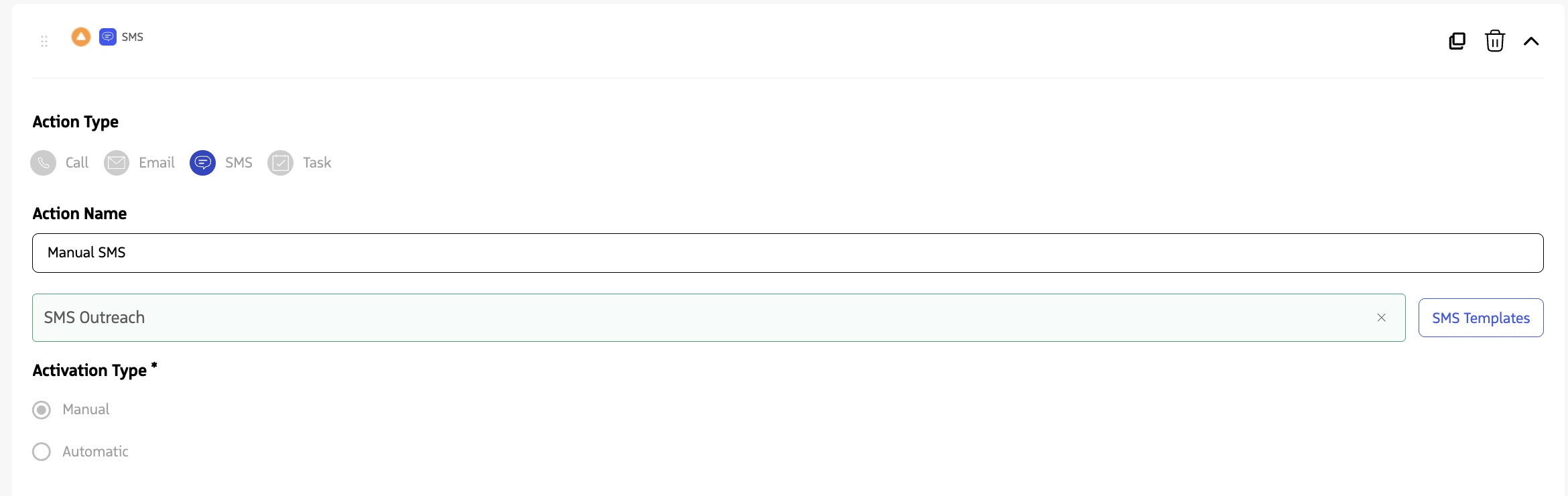
SMS Templates are useful when:
- You need structured, consistent messages with less typing. For example, follow-ups or meeting confirmations can use a template so reps do not need to retype common messages.
- You want to personalize messages with Salesforce data. Merge fields can insert participant or sender information into the message when it is prepared for delivery.
- You want consistent messaging across Manual and Automatic SMS actions. The same template can provide personalized content regardless of how the SMS action is completed.
SMS Merge Fields
SMS Templates support merge fields that insert Salesforce data into the message.
Merge fields can reference information such as:
- Participant fields from the associated Lead or Contact
- Sender fields from the Salesforce User sending the message
Merge fields are resolved when the message is prepared for delivery. The timing depends on whether the SMS action is Manual or Automatic.
Manual SMS
For a Manual SMS action, merge fields are resolved when the assigned SMS Template is loaded into the RingDNA dialer.
When the rep opens the SMS action from Engage, the dialer displays the template with the merge fields replaced by values from the associated Salesforce records. The rep can then review or edit the resolved message before sending it.
For example, an SMS Template could include merge fields for the participant’s first name and the sender’s first name.
If the participant is Ethan Williams and the sender is Kendell Wyatt, the resolved message could appear as:
Hi Ethan, this is Kendell. I wanted to follow up and see if you have a few minutes to connect today.
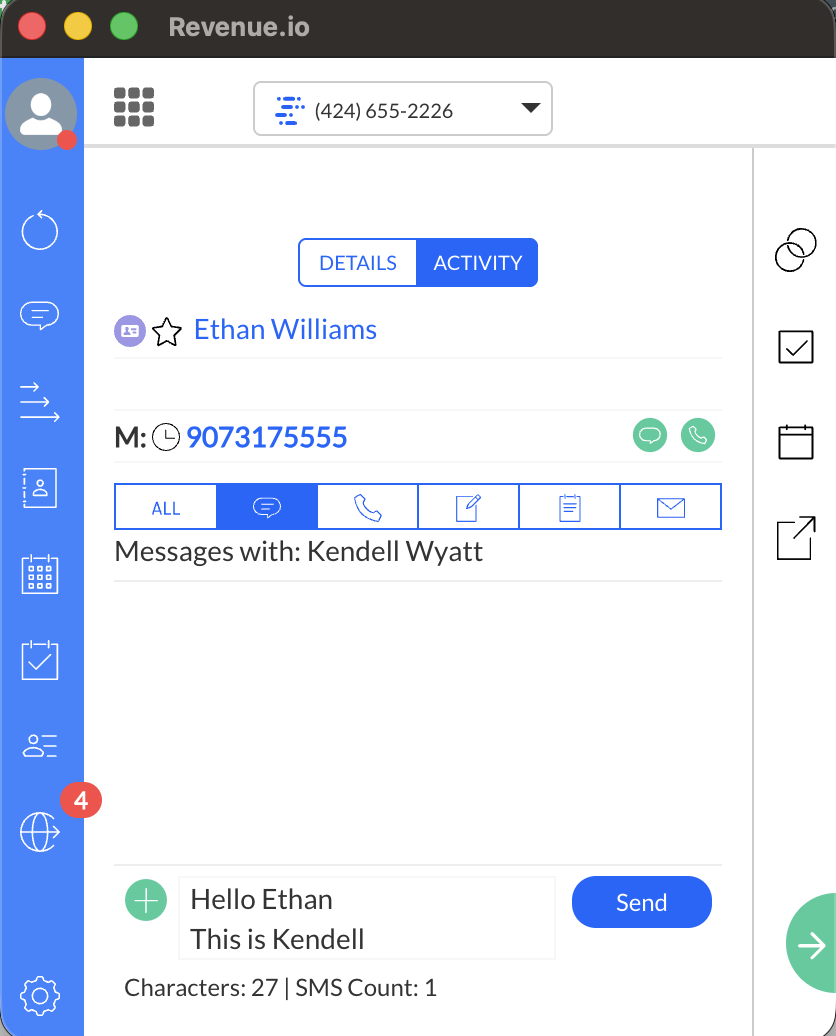
For instructions on completing a Manual SMS action, see Send a Message from Engage.
Automatic SMS
For an Automatic SMS action, the rep does not open the RingDNA dialer or manually send the message.
Guided Selling resolves the merge fields when the Automatic SMS action is sent. The personalized message is then delivered using the current Salesforce data available for the participant and sender.
This allows Automatic SMS actions to use the same personalized SMS Templates without requiring a rep to review each message before it is sent.
For more information about configuring and managing Automatic SMS, see Automatic SMS.
Create an SMS Template
SMS Templates are created and managed in the Admin Console by a RingDNA Administrator. The templates you configure there are the same ones available when you assign an SMS Template to an SMS action in the Guided Selling Sequence Builder.
To create, edit, or manage SMS Templates, including adding merge fields, see Enable SMS/MMS and SMS Templates for RingDNA.
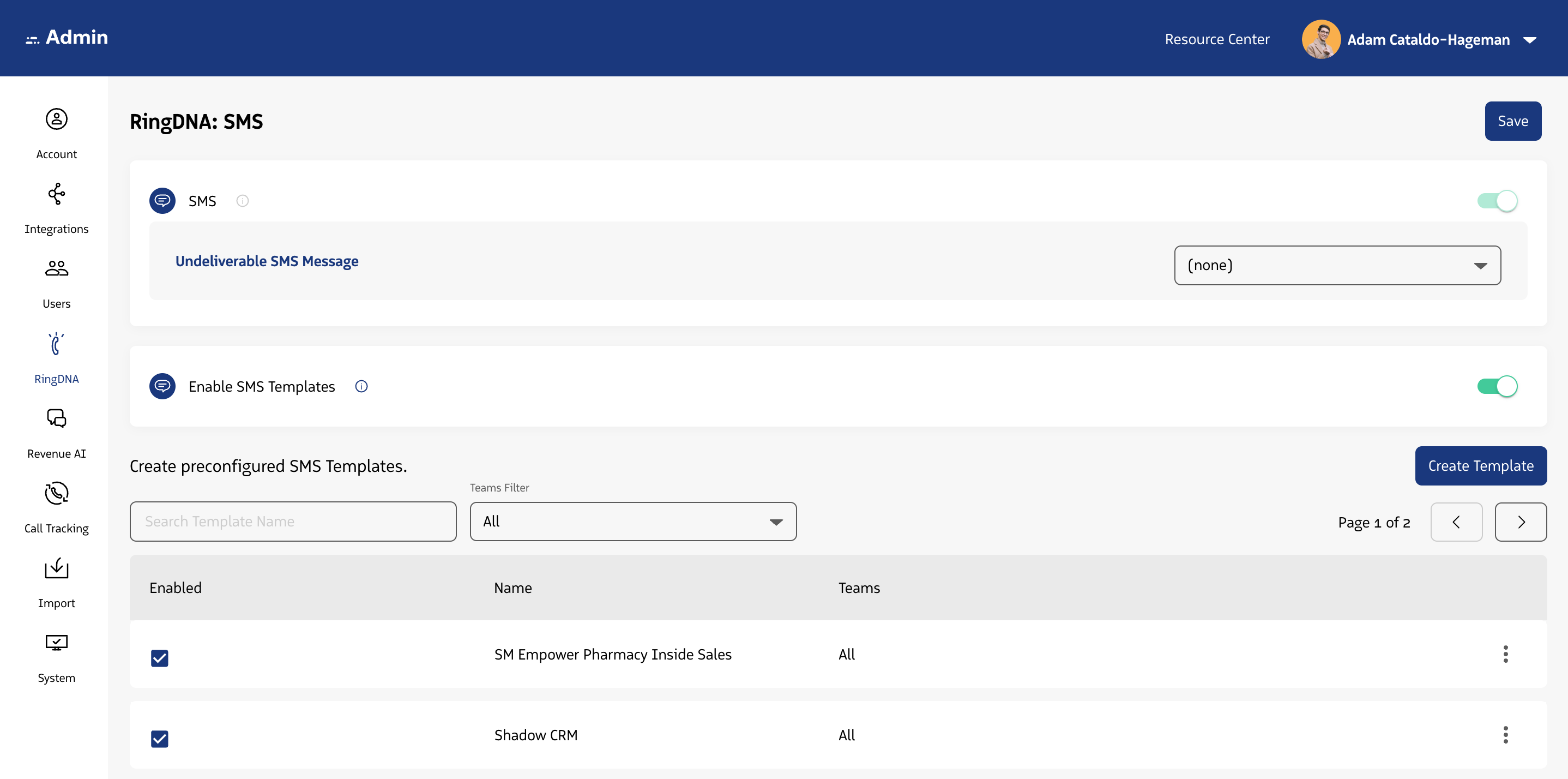
SMS Templates are configured in the Admin Console by a RingDNA Administrator.