Sequence & Action Delegation
Delegation determines who owns and executes participant actions when a participant is in a sequence.
Each sequence has a Default Sequence Delegation setting. The initial default is the participant owner, but admins can select another supported User lookup relationship when a different user should own and execute the sequence actions.
How delegation works
You set a delegated owner by choosing a User lookup field on the participant record or a related object. Any supported User lookup on the applicable participant objects can be used.
Which objects support delegation depends on the sequence record type:
| Sequence type | Supported objects |
|---|---|
| Contact | Contact |
| Lead | Lead |
| Opportunity | Opportunity, Account (related), Contact (related) |
| Campaign | Campaign (related), Contact (related), Lead (related) |
Example: On the Account, you might have a Customer Success Owner field that looks up to a User. That field can be used for delegation in Contact, Opportunity, and Campaign sequences. The user in that field might not own the Account or Contact in Salesforce, but delegated participant actions can still appear on that user’s Engage tab.
Default Sequence Delegation and action-level delegation
Each sequence has a Default Sequence Delegation setting that defines the delegation used by actions that inherit from the sequence.
New actions are set to Inherited by default. When an action is set to Inherited, it uses the current Default Sequence Delegation.
This means an admin can update the Default Sequence Delegation once and automatically change the delegation used by every action that remains set to Inherited.
You can also select a specific delegation directly on an individual action. An action with an explicit delegation no longer inherits the sequence default, so later changes to Default Sequence Delegation do not affect that action.
This allows you to use one delegation rule for most of a sequence while assigning specific steps to a different user when needed.
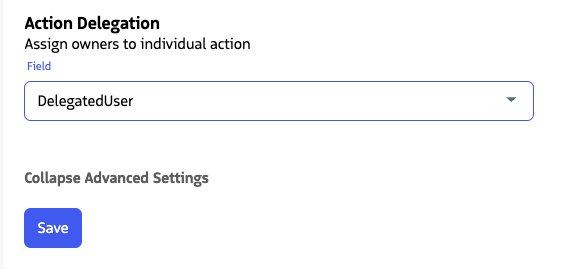
Actions set to Inherited use the sequence’s Default Sequence Delegation. Individual actions can use an explicit delegation instead.
Permissions and sharing
To view and update objects related to the action, such as Lead, Contact, Account, or Opportunity, the user executing the action must have Read and Update permission on those objects in Salesforce.
In orgs where organization-wide defaults grant all users access to the relevant records, no extra sharing is required. In more restrictive orgs, configure sharing rules so delegated action owners have the access they need.
That sharing applies to the Salesforce records generally, not only within Guided Selling. For example, if an Account is shared with read access for a delegated user, that user can also open the Account record in Salesforce.
Sharing may also be required outside delegation. For example, when creating Opportunities or Campaigns from a Contact’s related lists, Contact sharing rules may be required for related-record creation even when the Contact is not in a sequence.
Deactivated users and paused associations
The Participant Enable inactive processing setting controls whether records whose participant owner is deactivated can participate in sequences.
When inactive processing is enabled and a valid active delegated owner can be resolved, the delegated user can own and execute participant actions.
If Participant Enable inactive processing is disabled, records with deactivated participant owners are not eligible to enter the sequence.
For configuration details, see Enable Inactive Processing.