Activation Type & Priority
The Activation Type determines how participants enter a sequence, and Priority (for automatic sequences) determines which sequence a participant should be assigned to when multiple sequences match.
Activation types
A sequence has two possible activation types: Automatic or Manual. You can change the activation type after a sequence is created.
Manual
When a sequence is manual, participants are added only through user action.
Users can enroll individual participants from the Lead or Contact page, or from a list view using Add to Sequence. If a record meets the sequence entrance criteria, it can be added. If it does not, Guided Selling explains why the record is not eligible.
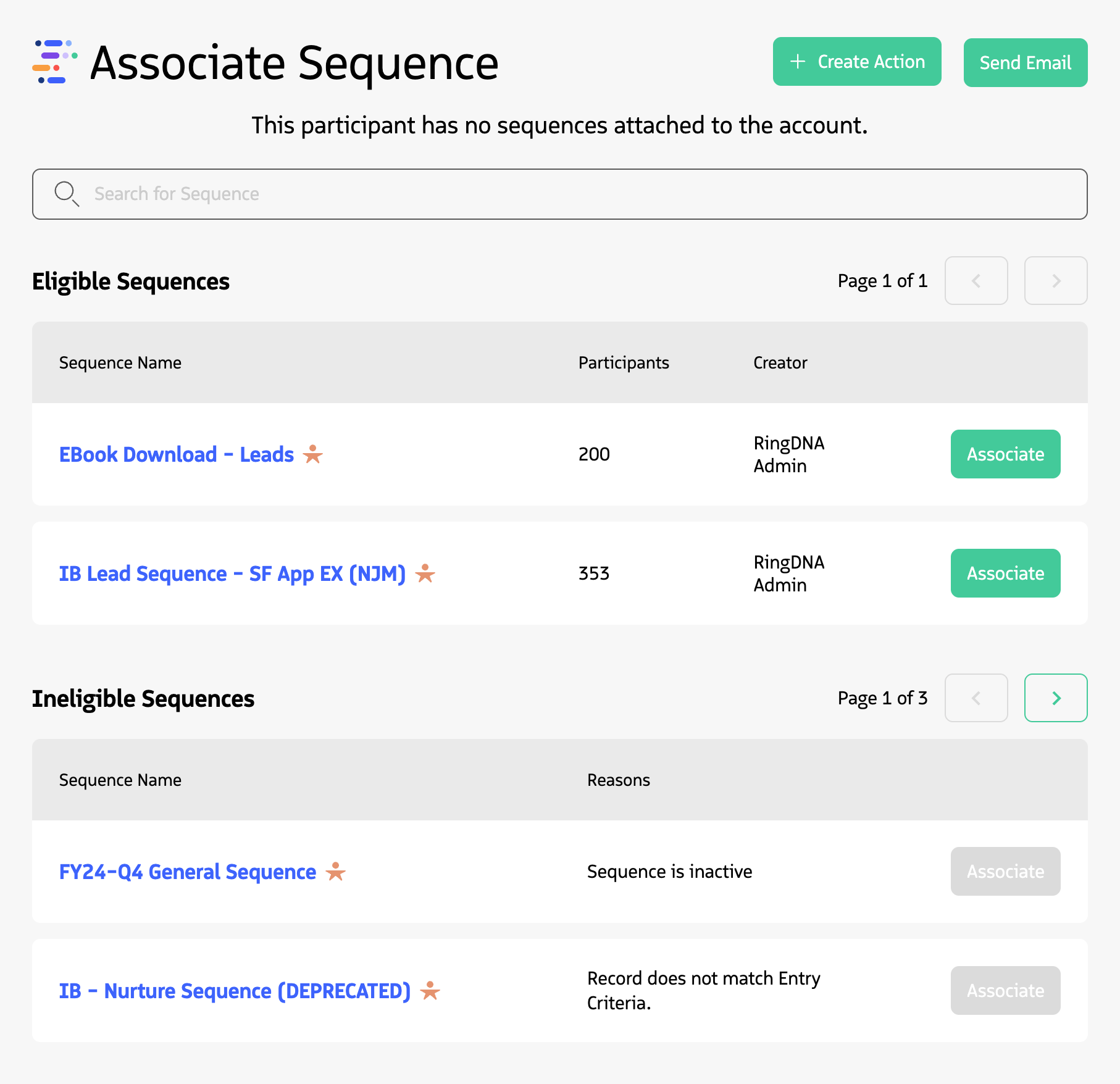
Manually enrolling a participant in a sequence using the Participant Overview module.
Manual sequences are useful when you want to:
- Control exactly which participants enter a sequence
- Review participants before adding them
- Add participants on a case-by-case basis
Automatic
With an automatic sequence, participants are added when they meet the entrance criteria. This is especially useful when records are created or updated by Salesforce automation or integrated systems, such as marketing tools.
When you first activate an Automatic sequence, Guided Selling evaluates existing records against the entrance criteria and begins associating qualifying participants.
What happens when you activate a sequence
Activation behavior depends on the sequence activation type and, for Automatic sequences, how the first action is configured.
Activating a Manual sequence
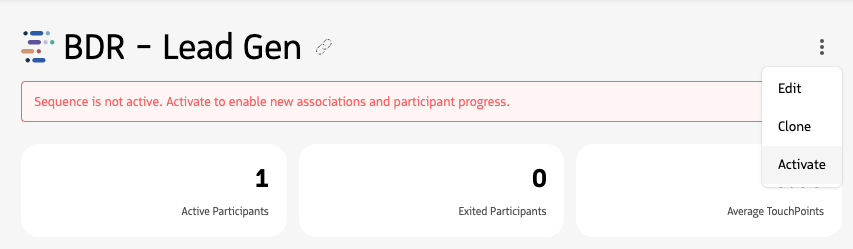
Manual sequences do not require an activation confirmation modal. When you click Activate, the sequence becomes active and can be selected when users manually add eligible participants.
A status banner on the sequence page indicates when the sequence is not active. The banner clears after activation.
Activating an Automatic sequence
Automatic sequences can begin enrolling qualifying participants as soon as they are activated.
If an Automatic sequence starts with an automatic Email or SMS action, Guided Selling displays an activation warning with the expected participant count. This warning is shown because qualifying participants can be associated immediately and the first automatic action may send almost immediately after activation.
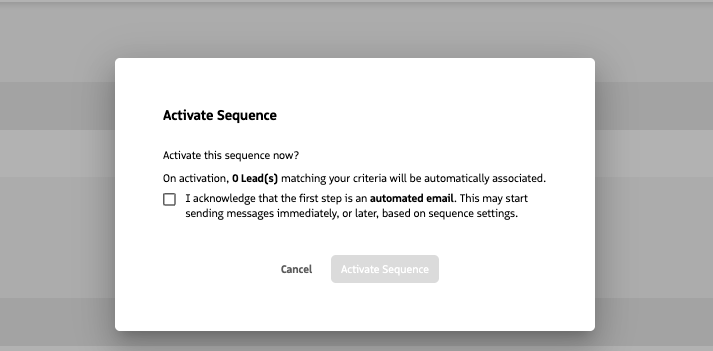
The additional warning and acknowledgment are shown only when the sequence configuration creates this immediate-send risk. Automatic sequences that do not start with an automatic Email or SMS action do not require this acknowledgment.
Sequence priority
Priorities determine which automatic sequence a participant should be assigned to when they meet the criteria of multiple sequences. Priorities range from P1 to P5, with P1 being the highest priority and P5 the lowest.
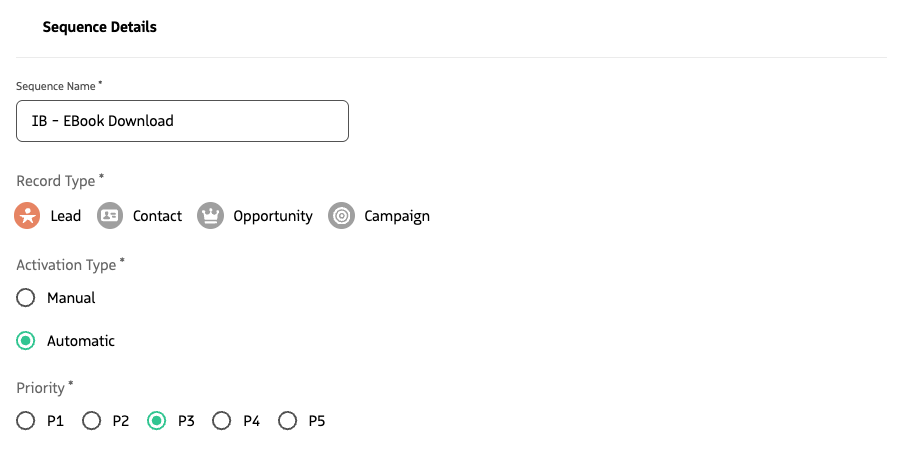
Setting the sequence Priority for an Automatic sequence.
How priority works
When a candidate meets the criteria of more than one automatic sequence, the highest-priority sequence has preference.
Best practice
When selecting a priority, consider using P3 as a neutral starting point so higher and lower priority levels remain available when needed.