Participants
Roles:
Sequence AdminSequence Agent
License:
Guided Selling
Participants are Leads or Contacts that are actively enrolled in a Sequence. As each step is completed, they advance through the Sequence’s actions in order.
In Guided Selling, you use the Participants tab to filter, view, and manage your enrolled participants.
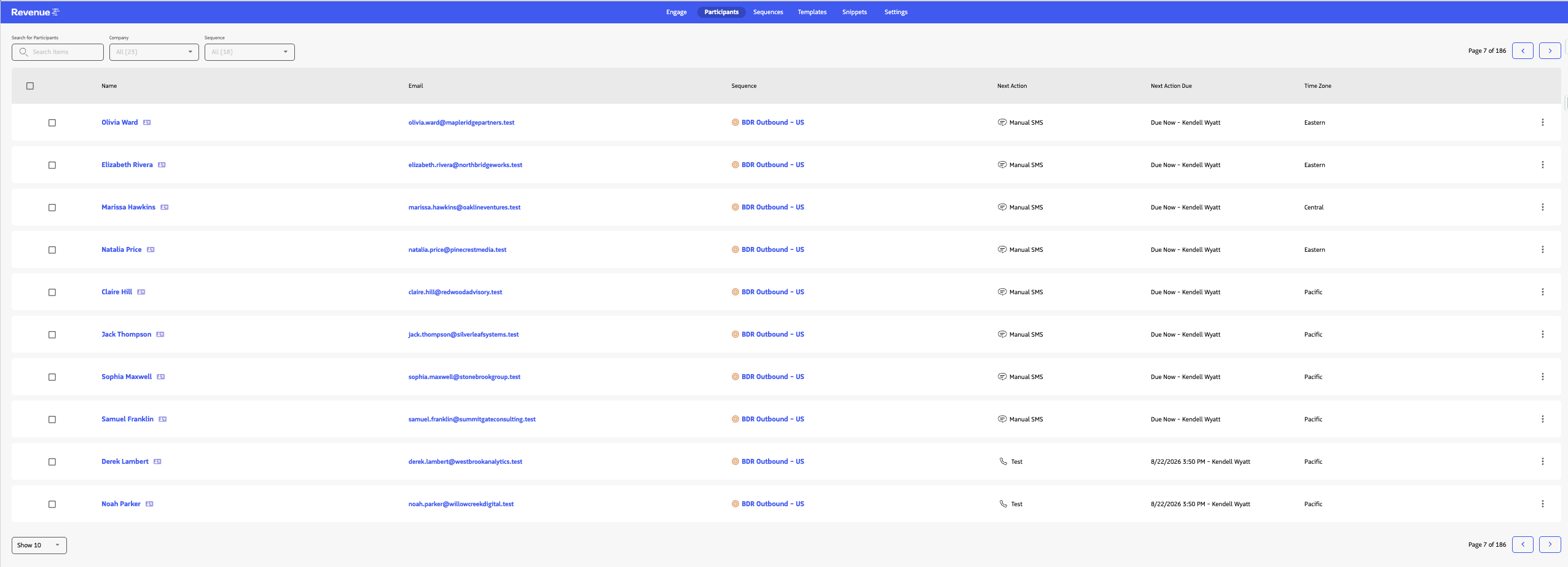
On the Participants tab, you can:
- Search for a participant, or filter by Company, Sequence, and Timezone.
- Sort the list using the Name, Email, and Sequence column headers.
- Review Next Action and Next Action Due for each participant.
- Click a participant’s Name to open Participant Overview and review their sequence progress, current sequence, and actions.
- Create Quick Actions and send One-Off Emails.
- Manage Current and Upcoming Actions
- Remove Participants from a Sequence
Tip: Many of these functions can also be accessed directly from the Lead or Contact using the Participant Overview Module.