Getting Started with Guided Selling
This section covers everything you need to get started with Guided Selling. Read the core concepts below first. When you are ready to use Guided Selling, follow the next steps to open the app, connect your email, enroll a participant, and complete your first action.
Core Concepts
Guided Selling is a Salesforce-native application that automates your sales outreach. Instead of manually tracking when to call, email, or text a prospect, you run structured workflows called Sequences that guide you or your team through each step at the right time.
Sequences
A Sequence is your sales playbook turned into an automated workflow. It defines who gets contacted, through which channels, and when. A simple sequence might look like this:
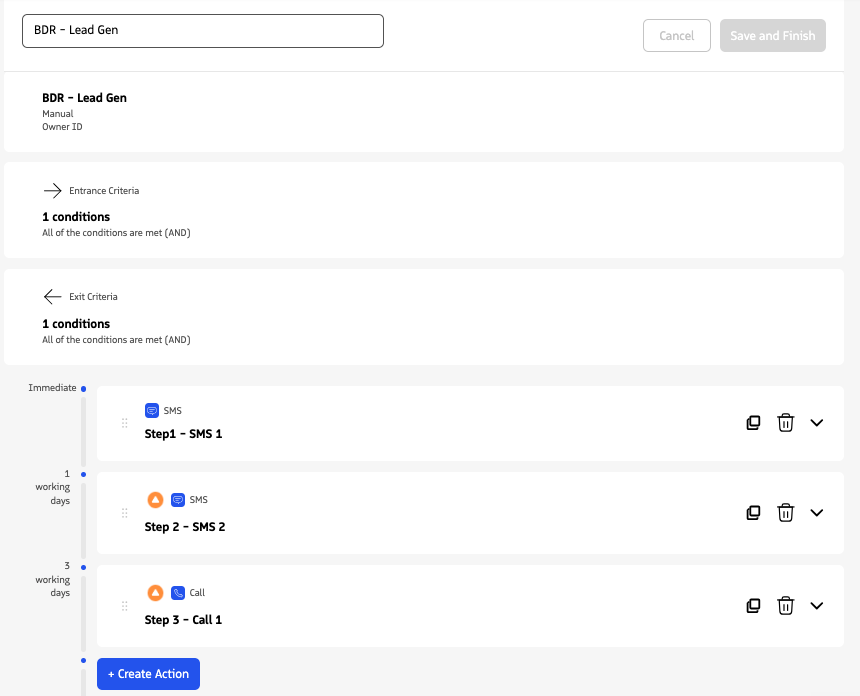
Sequences also define entrance criteria and exit criteria, which are the rules that determine whether a Lead or Contact may be enrolled and when they are removed. For example, after a positive conversion or when a deal closes — so outreach does not continue past the point where it still makes sense.
Participants
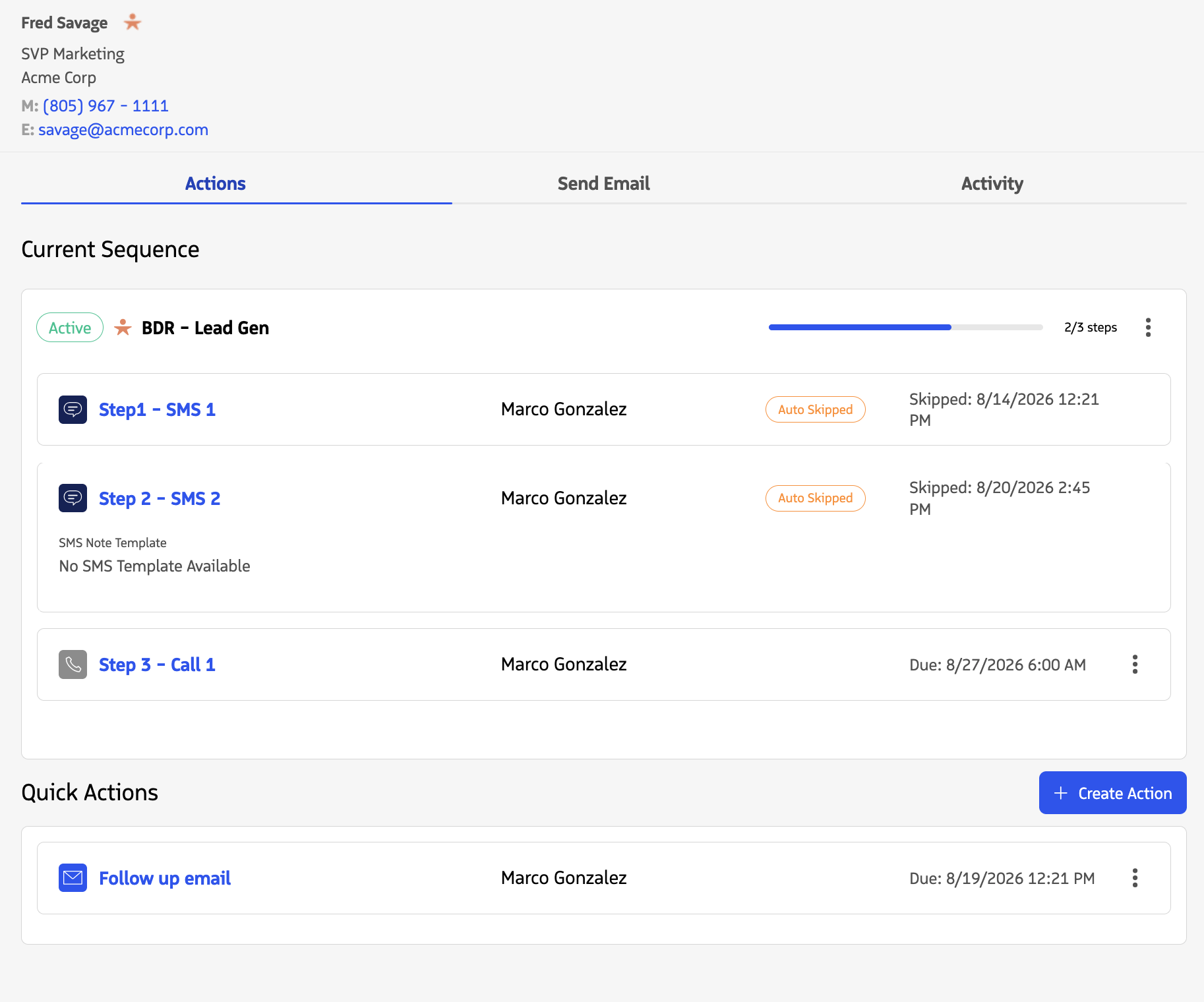
Participants are the Leads or Contacts enrolled in a sequence. They move through its actions in order as each step is completed.
The Participant Overview Module shows whether a participant is enrolled in a sequence and how far they have progressed through it. Open it from the Participants tab in Guided Selling or on a Lead or Contact record.
Actions
Actions are the individual steps inside a sequence. Each action specifies what to do and when to do it. Guided Selling supports four action types:
| Action type | What it does |
|---|---|
| Call | Prompts the agent to place a call |
| Sends an email from Guided Selling on the agent’s behalf | |
| SMS | Sends a text message to the participant |
| Task | Creates a Salesforce task for the agent to complete |
Engage
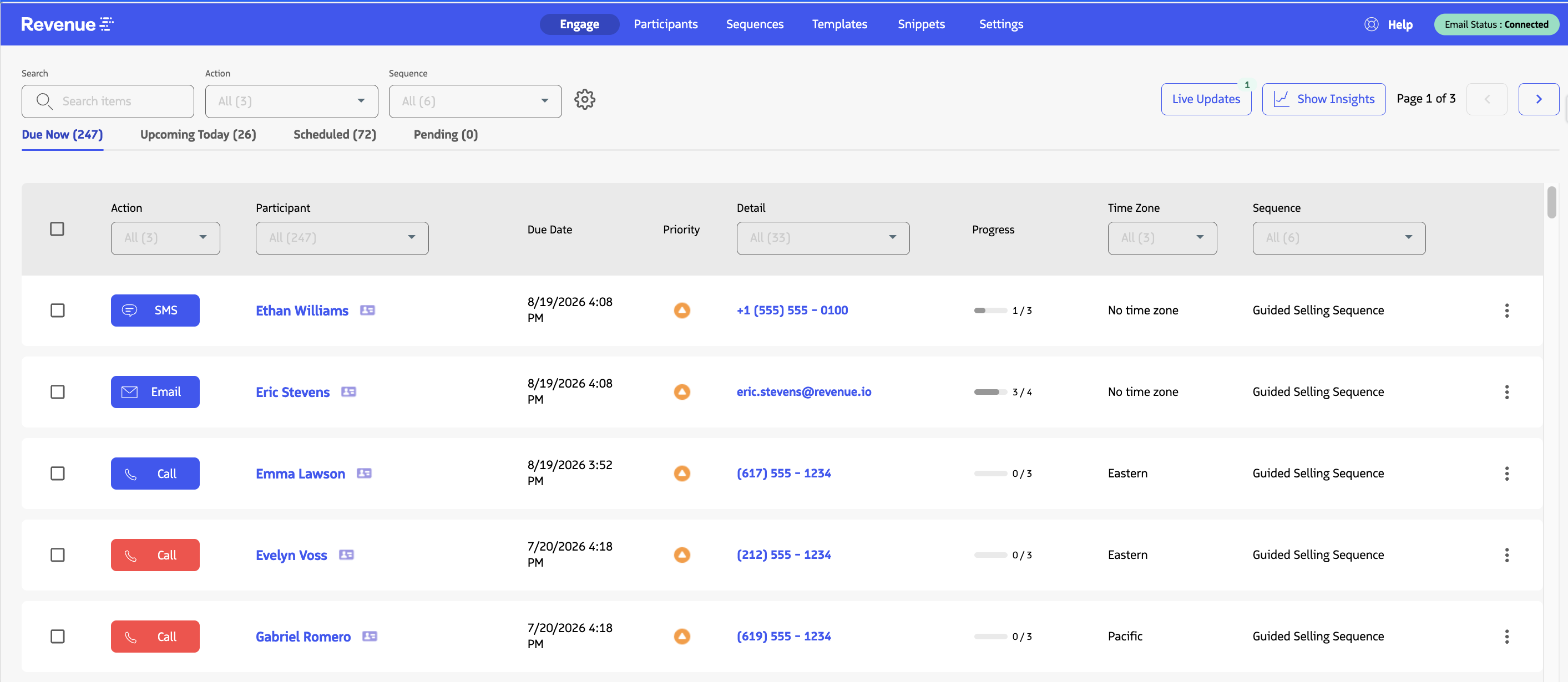
Engage is the primary page you use to work prospects in Guided Selling. It shows due and upcoming sequence actions in one place so you can prioritize outreach and complete calls, emails, SMS messages, and tasks without opening each Lead or Contact first.
Next steps
You now know how sequences, participants, actions, and Engage work together. Work through these guides in order. They build on each other and take you from first login to completing an action in Engage.