Sharing Conversations in Conversation AI
Sharing Calls in Conversation AI
To share a call in Conversation AI, navigate to an individual conversation. In the upper right-hand corner of the Conversation, you will see the “Actions” button. Selecting the “Actions” button will provide a dropdown of options. You can choose Share Internally or Share Externally.
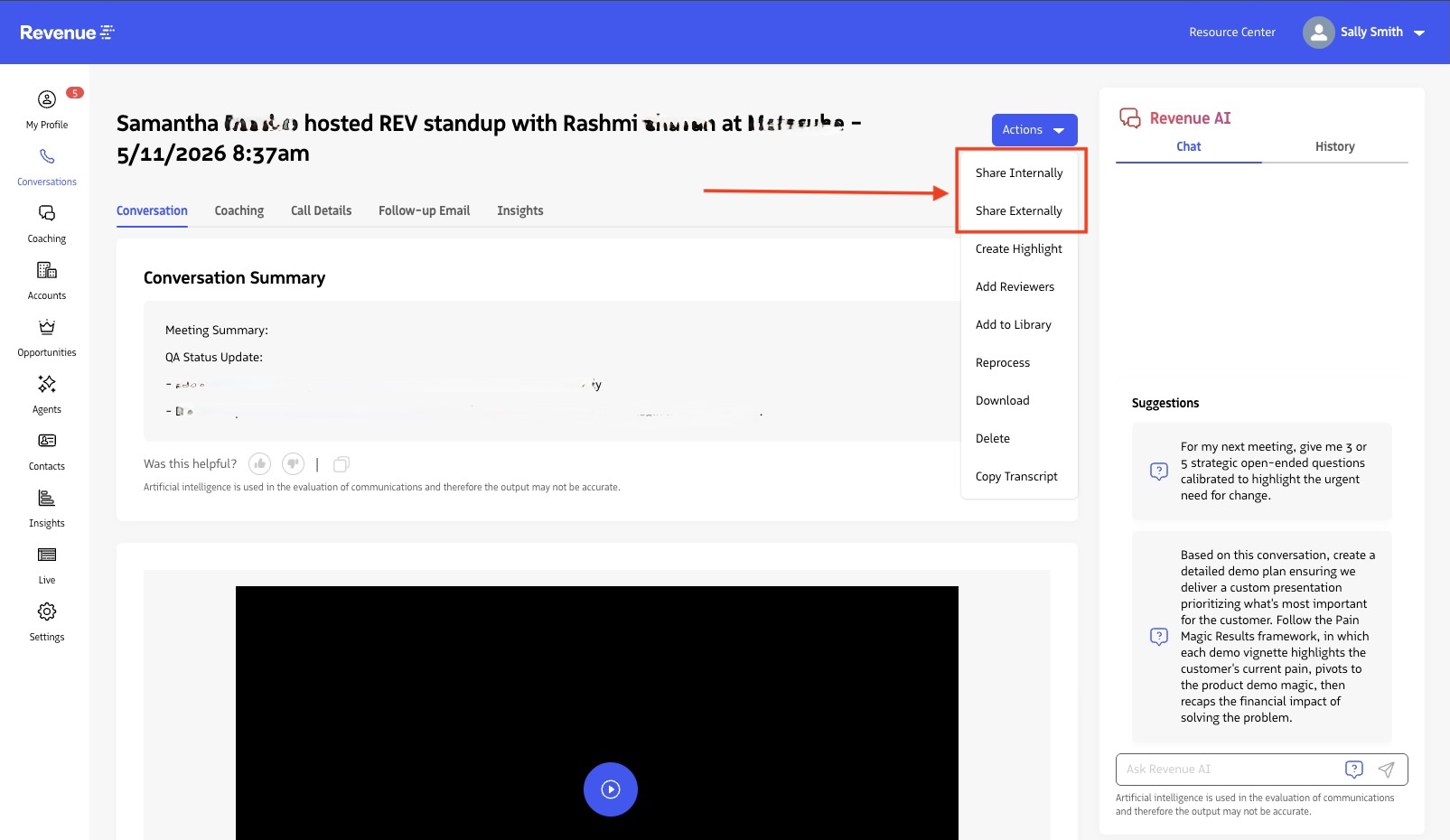
Sharing Internally
When selecting the Share Internally option, a modal will be presented that allows you to search for users to share the conversation with and provide a note to the user. If you select a timestamp in the conversation, and then click Share Internally, the title of the share modal shows the timestamp of the specific time within the conversation recipients will be taken to (unless you click the ‘Start at 00:00’ option at the bottom) once they access the shared conversation. Add the user(s) who you would like to share the conversation with along with context into why the conversation is relevant to them.
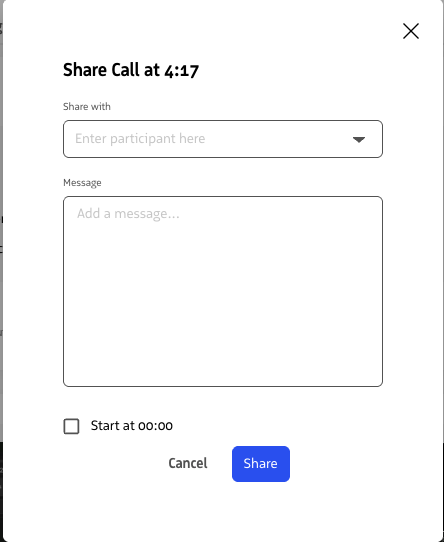
Once you select the “Share” button, the users designated in search will receive an email and an inbox notification based on their notification preferences to review the conversation from the moment you shared with them.
See Also: