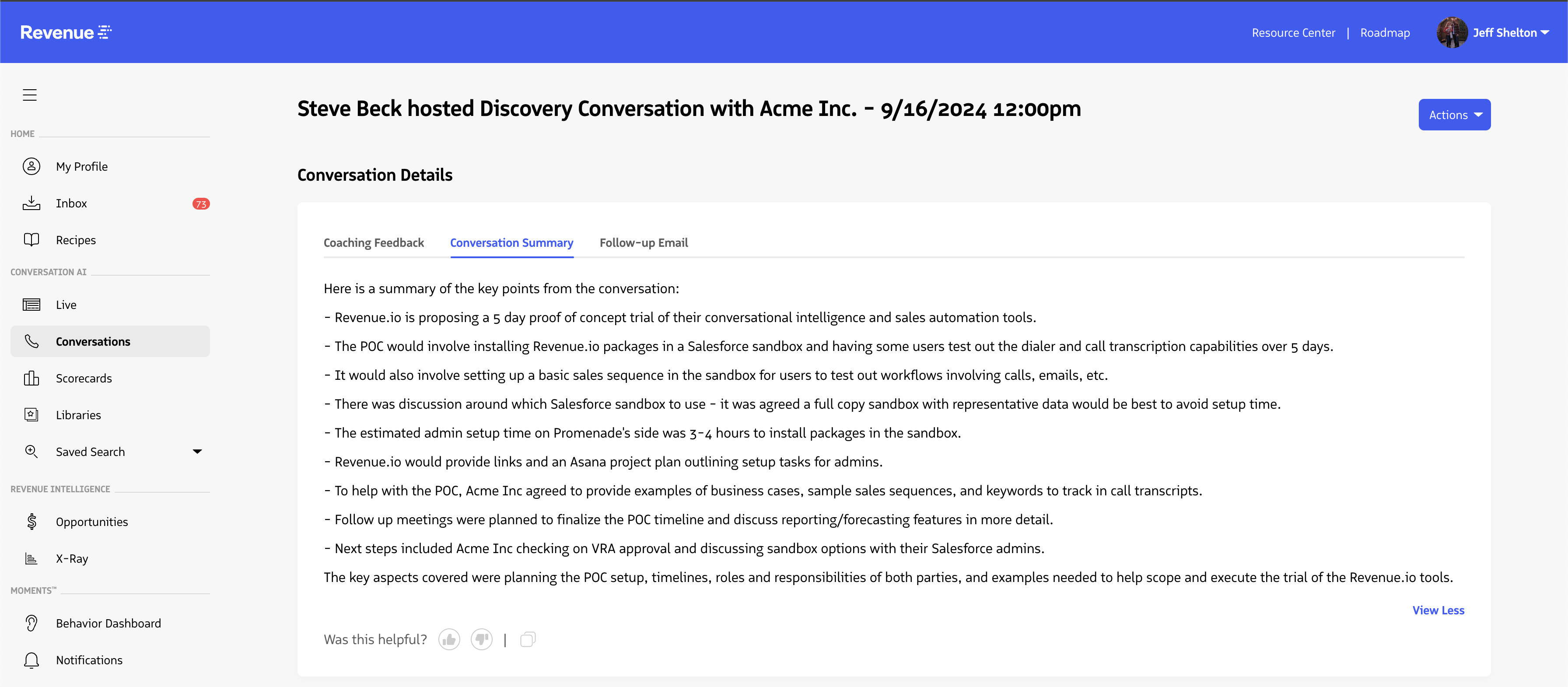
Conversation Summaries
- Conversation Summaries must be enabled for both the Account and the User
- The conversation must be longer than 4 minutes and contain more than 100 spoken words to be transcribed and generate a summary
After a qualifying conversation, Revenue.io generates a summary of key discussion points and places it on the conversation record for quick review.
On any conversation record, select the Conversation Summary tab under conversation details to review the summary, copy it to your clipboard, or submit feedback.
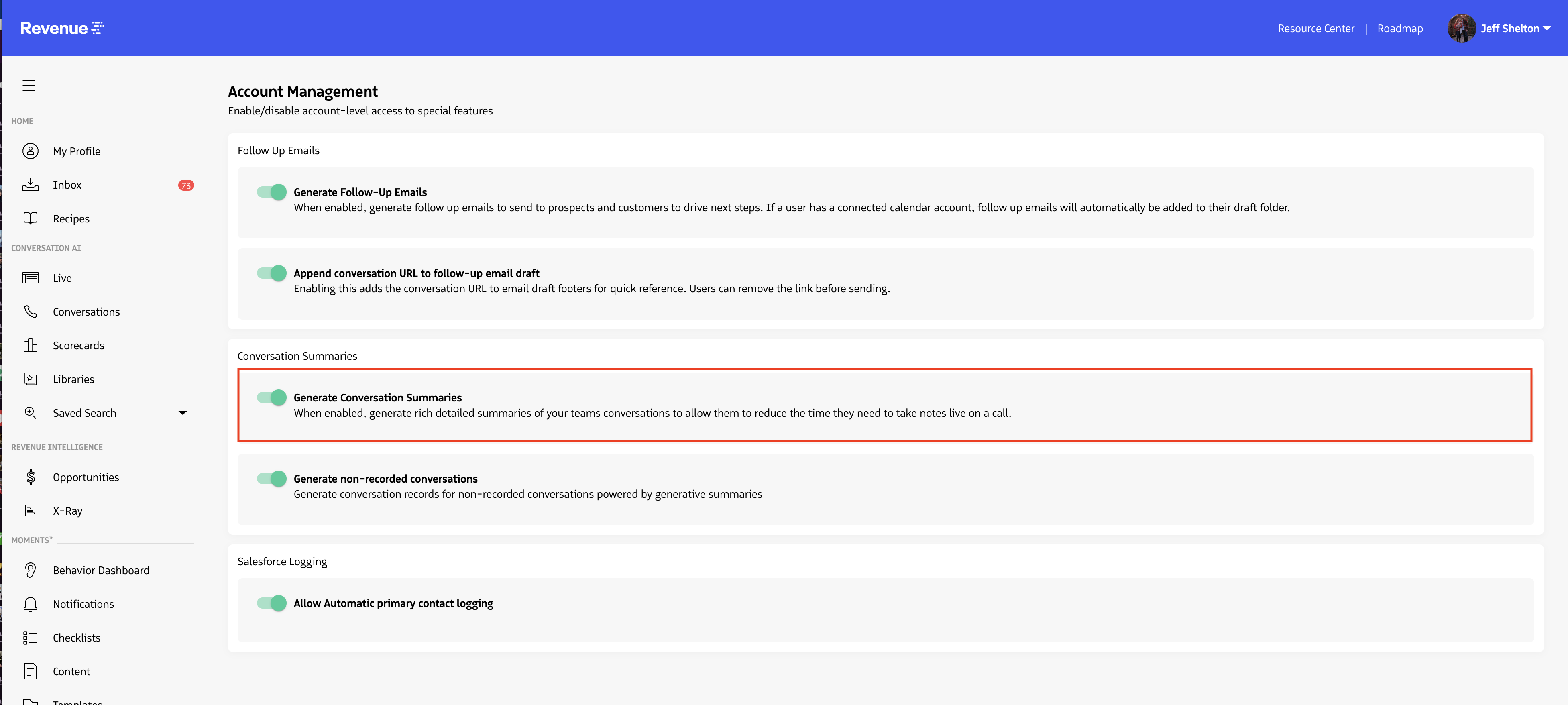
Enable Conversation Summaries for your account
Admins can enable Conversation Summaries in the Account Management tab of the Revenue application. Under Conversation Summaries, turn on the Generate Conversation Summaries toggle.
When enabled, summaries are generated for users who have the user-level setting turned on. Users can also view summaries for any conversation they have access to, as long as the conversation host also has Conversation Summaries enabled.
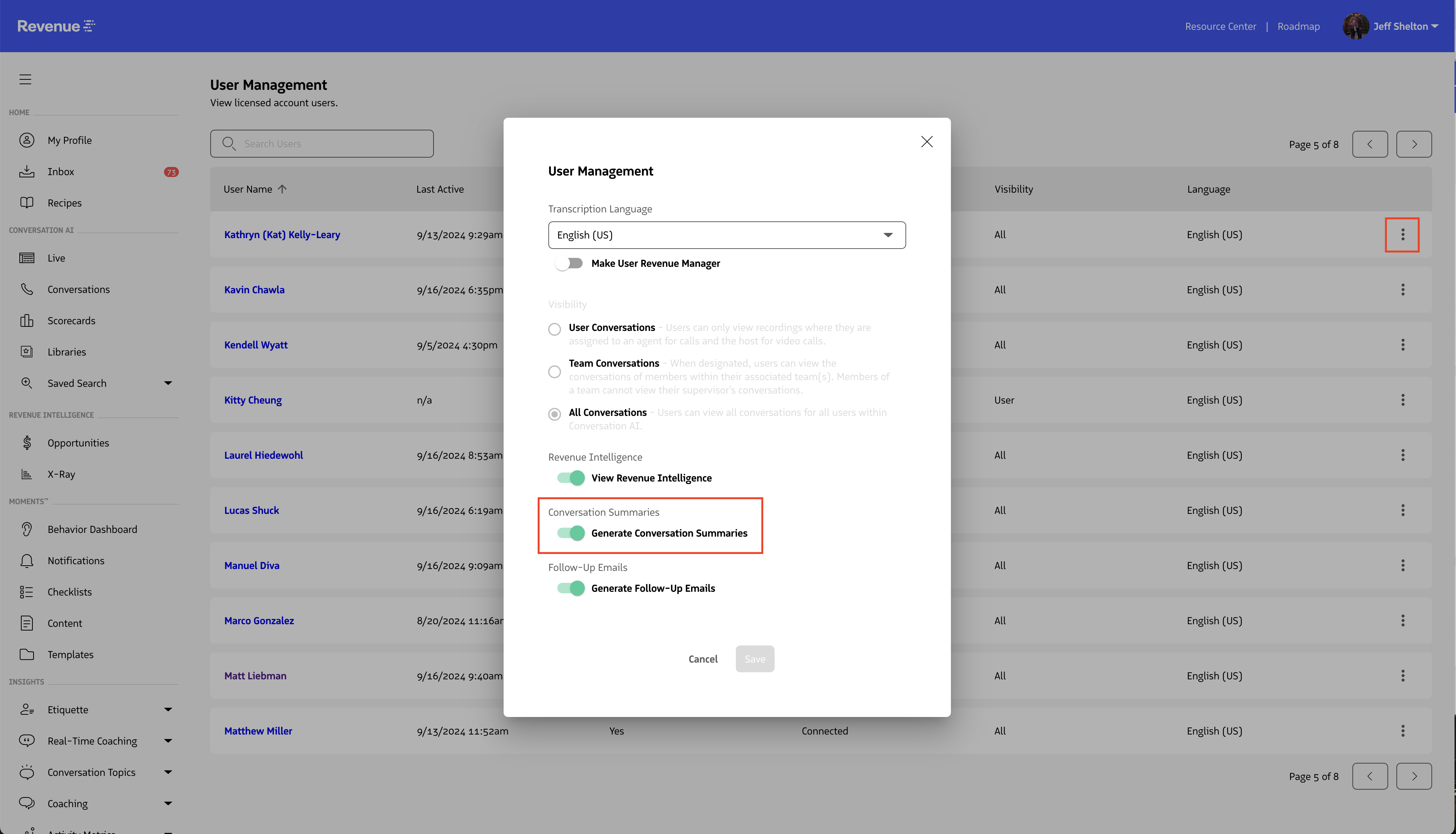
Enable Conversation Summaries for a user
After enabling Conversation Summaries at the account level, turn it on per user in the Users page.
Select the three-dot menu next to a user, then turn on Conversation Summaries under the Conversation Summary section.
When enabled, the user can view summaries for conversations they have access to, and qualifying conversations will generate a summary automatically.