Annotating Conversations
What are Annotations?
Annotations are written feedback regarding a specific part of a conversation ingested within Conversation AI. The Annotation function is one of the most powerful tools to give and receive coaching to improve rep performance. Anyone can leave an annotation – peers, coaches, managers, or the reps themselves.
How to annotate a call
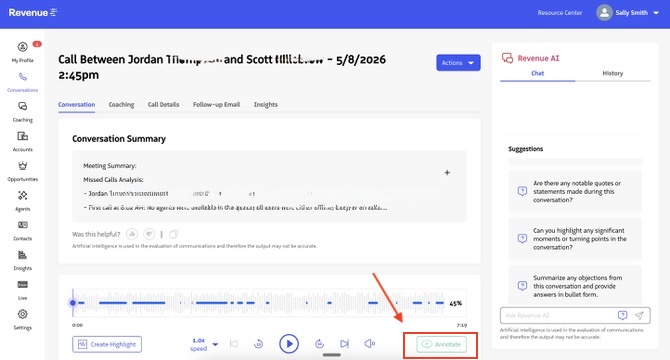
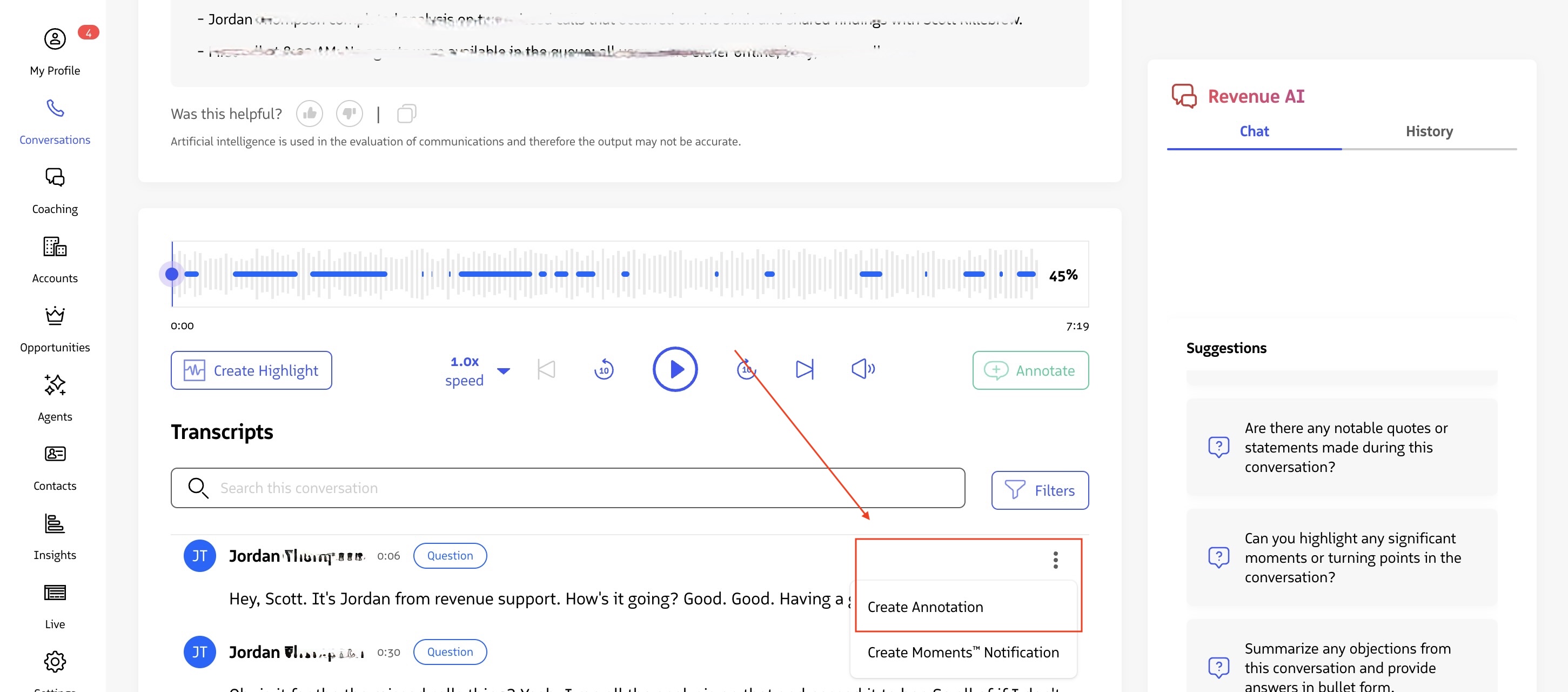
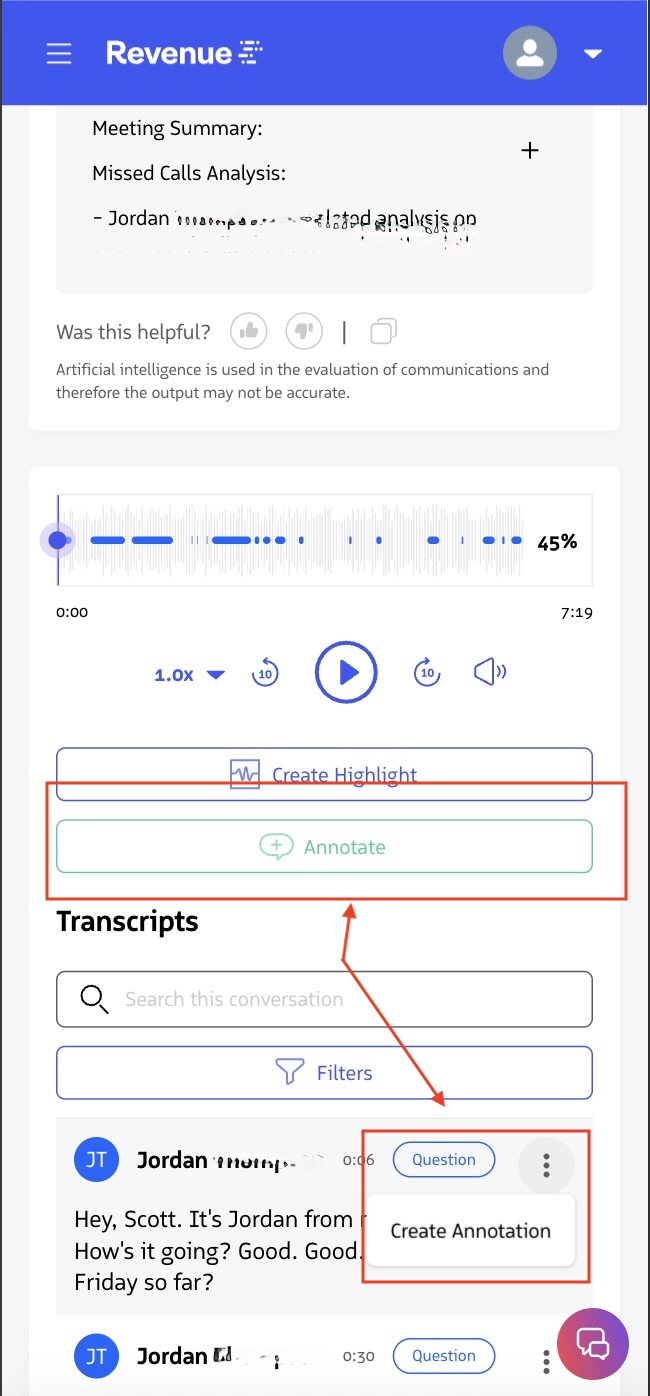
Within a specific point of a call/ a speaker’s associated transcript, you can click on the Annotate button below the conversation player to add an annotation. Alternatively, you can annotate from the transcript by clicking Create Annotation in the kebab menu of the line of the transcript that you want to annotate. This can be done on all device sizes.
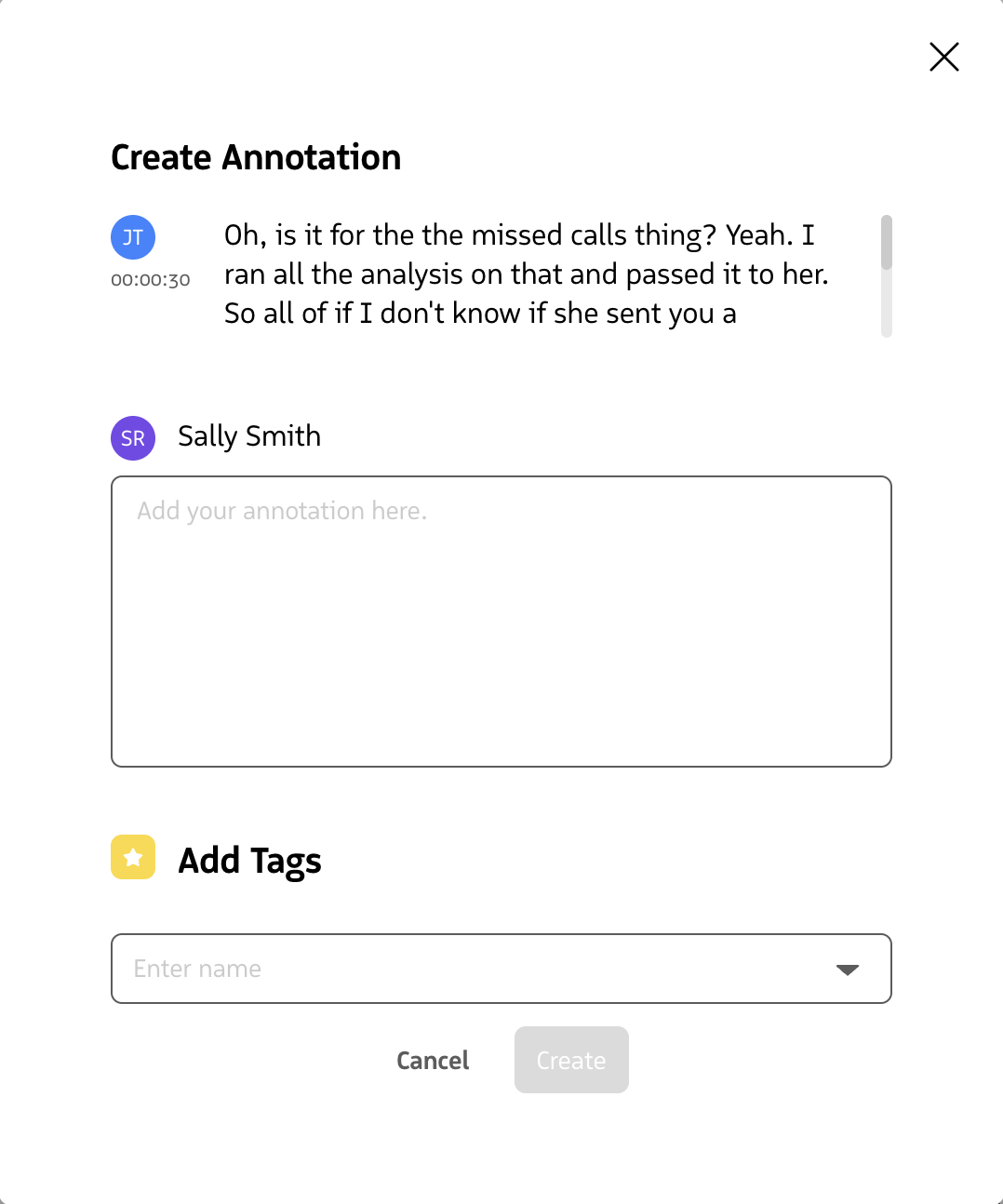
When you click on the Annotation button, a modal window will pop up that allows you to leave your feedback on a particular moment in the call. You will be able to see the specific transcript to which the annotation will be linked.
Annotation Notifications
Each time an Annotation is created, the Rep that hosted the call will receive a notification that their call received an annotation.
See Also: Managing and Updating Notifications