Requesting Licenses
To request product licenses, follow the below steps:
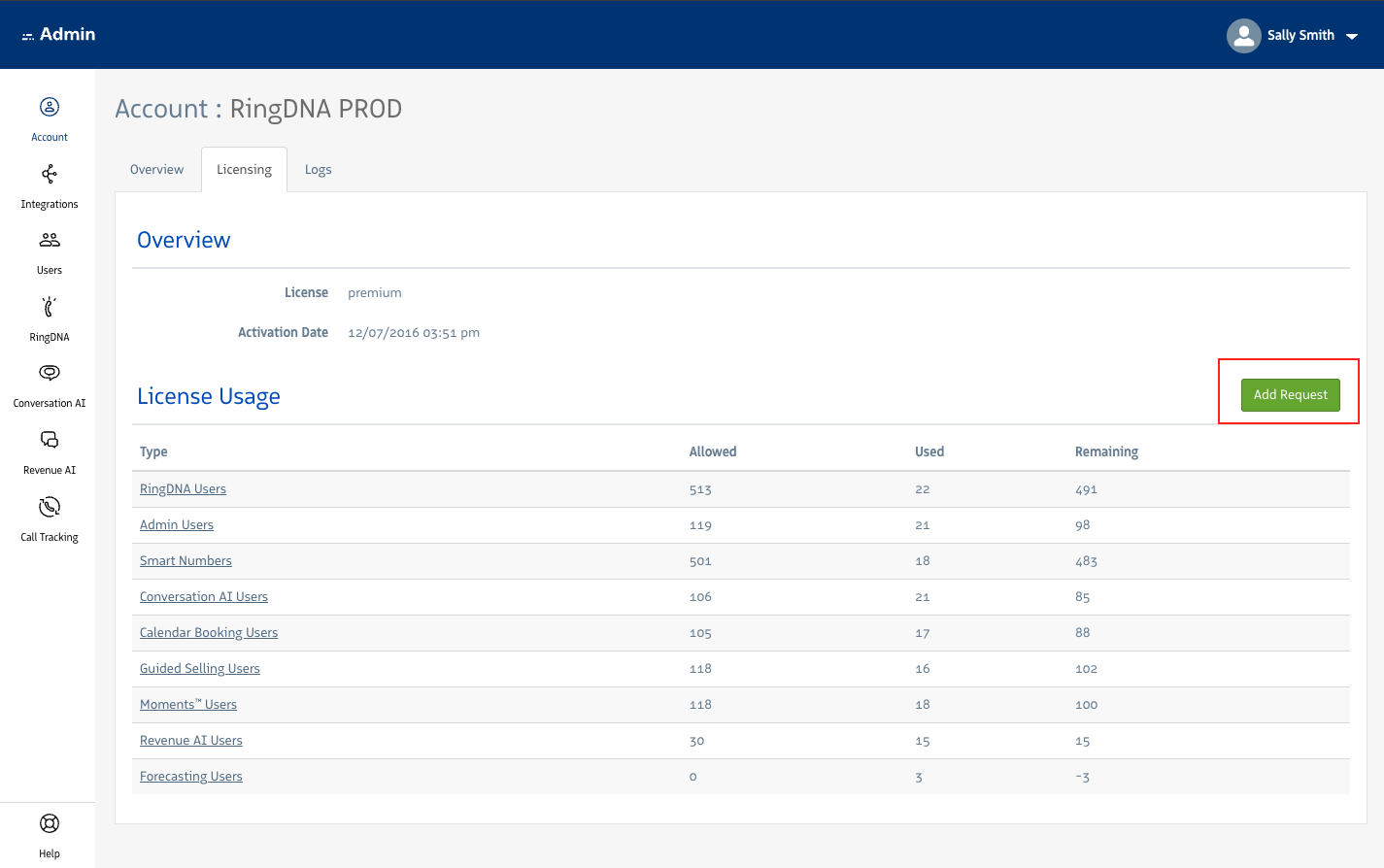
Step 1: Log into the Admin Console and click on Account in the left hand navigation
Step 2: Click on Licensing
Step 3: To request product licenses, click the Add Request button.
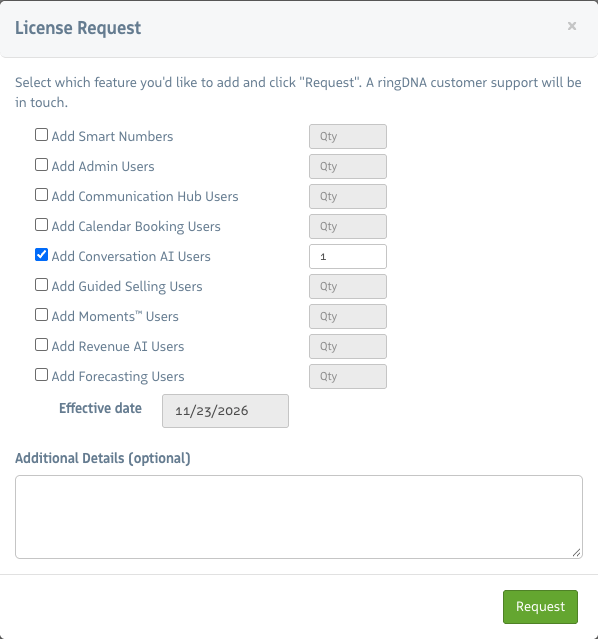
Step 4: On the License Request screen, check the box(es) next to the product licenses needed and provide quantities. Then click the Request button.
Assign the licenses to users
Once your request is approved, assign the new licenses from the Users page: click Bulk Management, and then select License Management. See Assign licenses to users.